PropStream Alternatives (2026): Best Options for Investors (By Goal)

If you’re searching for PropStream alternatives, you’re usually in one of these situations:

  • You want better list building + outreach in one place
  • You’re doing driving for dollars and need a tighter field workflow
  • You need follow-up and pipeline execution more than “more data”
  • You want a tool that fits your exact deal flow (local vs virtual, solo vs team)

PropStream is strong for investor research and lead lists — but it isn’t automatically the best fit for every acquisition model. This guide breaks down the best alternatives by use case, so you can choose the tool that matches how you actually source and convert deals.


Quick verdict

Choose PropStream if you want a proven investor research + list-building platform and you’re mostly focused on sourcing leads.
Choose BatchLeads if you want list building + skip tracing + outbound campaigns in a more “one platform” style.
Choose DealMachine if your core lead source is boots-on-the-ground D4D and you want the cleanest field workflow.
Choose REsimpli if your real bottleneck is follow-up execution (pipeline, tasks, texting/calling, accountability).

Primary recommendation for most investors: Pick the tool that matches your lead source, then make follow-up non-negotiable. That’s where deals are won.


Disclosure: Some links on this page are affiliate links, which means we may earn a commission at no extra cost to you. I only recommend tools I’d use to run an investor deal flow. See our Affiliate Disclosure: /affiliate-disclosure/


What “PropStream alternative” should mean (choose by workflow)

Most investors don’t need “more features.” They need a tool that matches their workflow:

  • Local acquisition (D4D) → route tracking + fast lead capture matters
  • Virtual acquisition (multi-market) → filtering, list stacking, and VA workflows matter
  • High outbound volume → skip tracing + campaigns + pipeline matters
  • Lead conversion → CRM follow-up systems matter more than any data tool

So instead of asking “What’s better than PropStream?”, ask:
What’s better for the way I actually get deals?


Side-by-side comparison table

ToolBest forWhy it winsWatch-outsBest next step
PropStreamInvestor research + list buildingStrong all-around sourcing platform for motivated seller research + list pullsNot a full follow-up execution system for most teamsTry PropStream
BatchLeadsList building + outreach-in-one-placeDesigned for scaling outbound with list building + skip tracing + campaignsIf you only do true local D4D it can feel heavier than neededSee BatchLeads
DealMachineDriving for Dollars (local)Clean field workflow: route tracking + pinning + simple day-to-day executionNot the best fit if your whole model is list stacking + campaignsSee DealMachine
REsimpliFollow-up + investor CRM executionInvestor-first CRM: pipeline + tasks + texting/calling + accountabilityIf you want enterprise customization you’ll need a heavier CRMTry REsimpli

No matter which tool you pick, this is how you convert the leads: 7/14/30-day follow-up system: /ai-follow-up-sequence-real-estate-investors/

For CRM execution + follow-up, see REsimpli alternatives /resimpli-alternatives/


Best PropStream alternatives by goal

Best alternative if you want “one platform” list building + outreach

If your acquisition model is volume outbound (lists → skip trace → dial/text → follow-up), you’ll usually want a platform that’s built around campaigns and pipeline-style workflows.

Recommendation: BatchLeads
Why it fits: It’s oriented toward scaling outbound and operating across markets.

See our head to head comparison: PropStream vs BatchLeads


Best alternative if you do true Driving for Dollars (boots-on-the-ground)

If your core lead source is local D4D, the difference between “fine” and “great” is friction: route tracking, easy pinning, notes, and a clean daily workflow.

Recommendation: DealMachine
Why it fits: It’s purpose-built for field acquisition and repeatable route coverage.

Also see: /best-driving-for-dollars-app-ai/ and our head to head comparison DealMachine vs PropStream.


Best alternative if your real issue is follow-up (not sourcing)

Many investors already have enough leads. The real leak is speed-to-lead + consistent follow-up.

If you’re doing any outbound (D4D, lists, inbound PPC, referrals), a dedicated investor CRM can outperform “more data” simply because it increases contact rate and consistency.

No matter which lead source you pick, this AI CRM setup (8 steps) is the execution layer that closes deals → /ai-crm-setup-real-estate-investors/.

Recommendation: REsimpli
Why it fits: It’s investor-first and designed around pipeline + tasks + comms tracking.
Start here: /go/resimpli

Also see: /best-ai-crm-real-estate-investors/
And: /resimpli-review/


Best “no-tool” alternative if you just need cleaner lead flow

If your operation is early-stage, sometimes the best alternative isn’t another platform — it’s a tighter process:

  • Narrow your buying box
  • Pull smaller, higher-intent lists
  • Use one follow-up system consistently
  • Track attempts + outcomes

If you want the exact follow-up system to copy, grab the checklist below.

Get the 7 Follow-Up Automations Checklist


When PropStream is still the best pick

PropStream is still a great choice if:

  • You want a solid all-around investor research + list tool
  • You’re not trying to run full outbound + CRM inside the same platform
  • You prefer a simpler “research → export → work leads” model

If that’s you, don’t overthink it — start with PropStream and make your follow-up system consistent.

Also see: /propstream-pricing/


Suggested stacks (what I’d run)

Starter stack (solo investor)

Why this wins: it separates lead sourcing from lead conversion, which is how most real operators scale.


Growth stack (team + consistent outbound)

Why this wins: volume acquisition only works if follow-up is systemized and tracked.


FAQs

What is the best PropStream alternative overall?

It depends on workflow. For outbound scale, BatchLeads is often the closest “all-in-one” alternative. For D4D, DealMachine is usually the cleaner field system. For follow-up execution, REsimpli is the best “conversion lever.”

Is PropStream only for list pulling?

No — it’s commonly used for investor research plus pulling targeted lists. But many investors pair it with a CRM or outbound system for execution.

Which alternative is best for virtual driving / multi-market?

If you’re building a VA-led acquisition engine across markets, you typically want a platform designed around filtering + list workflows + campaigns (often BatchLeads-style).

Can I use PropStream and REsimpli together?

Yes — that’s a very common operator setup: source leads in PropStream, then work and track leads in REsimpli.

Should I switch away from PropStream if I’m not getting deals?

Only if the tool is the bottleneck. Most of the time, the bottleneck is follow-up consistency, not “more data.” Tighten your process first.


Sources:

PropStream Pricing (2026): Which Plan Should Real Estate Investors Buy?

Intro

If you’re looking at PropStream pricing, the real question isn’t “What’s cheapest?” — it’s which plan matches your acquisition workflow.

PropStream is built for investors who want to find motivated sellers, filter fast, build lists, and export clean lead data. The pricing tiers mainly change your monthly saves/exports, team access, and how much “done-for-you” support you get for scaling.

This guide breaks down Essentials vs Pro vs Elite like an operator: what you get, who each plan is for, and what I’d buy depending on whether you’re solo, running outbound consistently, or managing a team. If you are still deciding on the right lead gen tool go to our guide on the Best AI Lead Generation Software for Real Estate Investors (2026).

Disclosure: Some links on this page are affiliate links, which means we may earn a commission at no extra cost to you. I only recommend tools I’d use to run an investor deal flow. See our Affiliate Disclosure: /affiliate-disclosure/


Quick verdict

  • Most solo investors: start with Essentials until you’re consistently pulling/exporting lists every week.
  • Best value for serious outbound: Pro is usually the move if you’re doing real volume and want more capacity + team support.
  • Only for teams at scale: Elite is for operations that need multiple full-access users and high monthly capacity.

PropStream offers Essentials ($99/mo), Pro ($199/mo), and Elite ($699/mo), with discounted annual billing options. Start free trial/go/propstream


PropStream Pricing: Essentials vs Pro vs Elite

PlanMonthly price (monthly billing)Monthly price (annual billing)Best forMonthly saves/exports (limit)Team accessMy take
Essentials$99/mo$81/mo billed annuallySolo investors validating list criteria25,000/monthSolo-focused (team add-ons/upgrade path)Best starter plan until you pull/export weekly at volume
Pro$199/mo$165/mo billed annuallyConsistent outbound + higher throughput50,000/monthIncludes 2 full-access team members (expandable)Best value for serious investors running weekly outbound
Elite$699/mo$583/mo billed annuallyTeams + high-capacity ops100,000/monthIncludes 9 full-access team membersOnly worth it when PropStream is a central team system

How to read the plans (fast):

  • If you mainly need search + light list pulls + occasional exports, Essentials is fine.
  • If you’re doing consistent list building + outbound (weekly), Pro usually pays for itself in speed + capacity.
  • If you’re managing a multi-user team inside PropStream and exporting at scale, Elite is built for that.

Plan-by-plan breakdown

Essentials plan

Price: $99/month (monthly) and a discounted annual option shown on PropStream’s pricing page.


Best for: solo investors who are still proving their list strategy

What Essentials is best at:

  • Getting you into PropStream with enough capacity to start building lists and testing markets
  • Running a simple weekly rhythm: search → filter → save/export → outreach

When Essentials becomes the bottleneck:

  • You’re exporting constantly
  • You need multiple people working the same lead pipeline
  • You’re scaling outbound and don’t want to throttle lead volume

Pro plan

Price: $199/month (monthly) and discounted annual option shown on PropStream’s pricing page.


Best for: investors doing consistent outbound who want more capacity + smoother execution

Operator take:
If you’re actually running outbound weekly (or daily), Pro is usually the best balance of cost vs throughput. It’s the plan that fits the “I’m serious about pipeline” stage.


Elite plan

Price: $699/month (monthly) and discounted annual option shown on PropStream’s pricing page.


Best for: teams that need high capacity and multiple full-access users

Operator take:
Elite is for when PropStream is a core system in a bigger operation — not just a tool you log into twice a month.

Not sure PropStream is worth it for your deal flow? Compare the top PropStream alternatives (by workflow + budget) → /propstream-alternatives/


What changes most between plans (the stuff that actually matters)

1) Monthly saves/exports (your lead throughput)

The plans scale your monthly capacity, which matters if you’re pulling lists regularly and exporting them for skip tracing/outreach or CRM follow-up.

Rule of thumb: if you’re throttling list pulls because you’re worried about hitting limits, it’s time to upgrade.


2) Team workflow

If you’re solo, team features don’t matter. If you have a VA, acquisition manager, or partner who needs access, the team support becomes a real lever. PropStream’s plans differ on included team members and expansion options.


3) Your “full system” matters more than the plan

PropStream can be your lead source, but your results usually come from what you do next:

  • PropStream (sourcing + list building)
  • Outbound system (dial/text/mail)
  • CRM follow-up (to close deals reliably)

If you need the follow-up layer, start here: Best AI CRM for real estate investors/best-ai-crm-real-estate-investors/

After list pulling, consistent follow-up closes deals—REsimpli review → /resimpli-review/

After you pull lists, your results depend on follow-up—use this AI CRM setup (8 steps)/ai-crm-setup-real-estate-investors/


Which PropStream plan should you buy?

Buy Essentials if…

  • You’re solo and still validating your list criteria
  • You pull lists occasionally (not daily)
  • You want the lowest cost entry point and you’re okay upgrading later

Buy Pro if…

  • You’re doing consistent outbound and need more capacity
  • You want smoother execution and less “limit anxiety”
  • You’re building a repeatable weekly pipeline

Buy Elite if…

  • You’re operating with a team and need multiple full-access users
  • You’re exporting at scale and PropStream is central to your ops

After you buy a plan, execution matters: Pair it with this follow-up cadence so lists don’t go cold: /ai-follow-up-sequence-real-estate-investors/


FAQs

Is PropStream worth it for beginners?

Yes — if you’re actually going to use it weekly. If you won’t pull lists and contact leads consistently, the tool won’t save you.

Can I start on Essentials and upgrade later?

Yes. Most investors should start on Essentials, prove their workflow, then upgrade when capacity becomes the bottleneck.

Does annual billing save money?

PropStream shows discounted annual pricing vs monthly on their pricing page.

Should I use PropStream or BatchLeads?

If you’re choosing between them, use this comparison: /propstream-vs-batchleads/


Sources:

BatchLeads Review (2026): Best for Virtual Canvassing + List Building?

BatchLeads Review (2026): Best for Virtual Canvassing + List Building?

BatchLeads is positioned as an “all-in-one lead platform” for real estate investors: property search, list building, skip tracing, outreach campaigns, and pipeline-style CRM tools—plus virtual driving for dollars for multi-market sourcing.

The real question isn’t “is BatchLeads good?” It’s: does your business model need scale sourcing + outbound, or do you mainly need a simple local D4D workflow?

In this review, I’ll break down who BatchLeads is best for, what it does well, where it falls short, and how to decide if it’s worth the monthly spend.

If you’re deciding between field D4D vs scale sourcing, start here: DealMachine vs BatchLeads/dealmachine-vs-batchleads/
If you want the “best tool by use-case” view: Best AI lead gen software/best-real-estate-lead-generation-software-ai/

Disclosure: Some links on this page are affiliate links, which means we may earn a commission at no extra cost to you. I only recommend tools I’d use to run an investor deal flow. See our Affiliate Disclosure: /affiliate-disclosure/


BatchLeads Review: Quick verdict

BatchLeads is best for investors who want scale: virtual canvassing across markets, list stacking, skip tracing + outbound, and one platform to organize campaigns and pipeline.

Skip BatchLeads if: you only do occasional lead pulls, you’re strictly boots-on-the-ground D4D, or you already have a separate list + dialer + CRM stack that you love.


Next Steps:


What BatchLeads is (and what it’s not)

BatchLeads is primarily a lead acquisition and outbound operations platform—not a full “investor CRM” in the same sense as REsimpli or HubSpot.

Think of it like this:

  • BatchLeads = source + build lists + skip trace + run outreach + manage simple pipeline
  • Dedicated CRM = deeper automation + long-term follow-up + deals/transactions + team SOPs

If you’re serious about converting, your “secret weapon” is still follow-up. Start here:
Best AI CRM for real estate investors/best-ai-crm-real-estate-investors/


BatchLeads pros and cons (operator view)

Pros

  • Strong virtual driving / multi-market workflow (great for VA-led sourcing)
  • List building + filtering is the core use-case
  • Skip tracing + outreach features support a lists → contact → follow-up machine
  • Useful when your priority is volume outbound and speed to contact

Cons

  • Can be “too much tool” if you’re early-stage or only do a little outbound
  • Built-in pipeline tools may not replace a real CRM once you grow
  • Your ROI depends on execution: lists + trace + outreach + consistent follow-up

Best for (and not best for)

BatchLeads is best for:

  • Virtual canvassing / expansion markets
  • List stacking + outbound (SMS/calls) style operations
  • Teams using VAs to source leads across multiple zip codes/counties

If you’re scaling outbound, use this AI CRM setup checklist (8 steps) to keep leads organized and followed up → /ai-crm-setup-real-estate-investors/

BatchLeads is not best for:

  • Investors doing mostly boots-on-the-ground D4D (DealMachine is often cleaner)
  • Investors who want the CRM to be the “system of record” (look at REsimpli / HubSpot)
  • People who won’t run consistent outbound (you’ll underuse the platform)

If you’re deciding on the D4D side, compare:
Best driving for dollars app (AI)/best-driving-for-dollars-app-ai/


Core features (what matters in real life)

1) Virtual driving + multi-market sourcing

If you want to scale beyond your local market, BatchLeads is built for the “virtual sourcing” shape of business. You can operate with a VA team tagging leads, filtering for distress signals, and building call/text lists.

If your lead generation model is “cover more ground faster,” this is where BatchLeads shines.

Compare: DealMachine vs BatchLeads → /dealmachine-vs-batchleads/

Related: Best driving for dollars app (AI) → /best-driving-for-dollars-app-ai/

2) List building + filtering (the main reason to buy)

BatchLeads is strongest when you treat it as a list engine:

  • build lists by geography + property criteria
  • refine for likely distress signals
  • stack lists (your best filters over time)
  • export or work inside platform depending on workflow

If your interested in other Real Estate AI tools and automations go to:
Best AI tools for real estate investors/best-ai-tools-real-estate-investors/

3) Skip tracing + outreach

BatchLeads pitch is “one platform”—you build lists, then contact them.

Operator reality: your results depend on:

  • list quality
  • speed to contact
  • number of touches
  • follow-up consistency

If you’re doing outbound at scale, follow-up is the multiplier: Here’s the exact 7/14/30-day sequence we use: /ai-follow-up-sequence-real-estate-investors/

Follow-up is where most deals are won. If you want a plug-and-play system for texts, calls, and task reminders, see my guide to the best AI CRM for real estate investors: /best-ai-crm-real-estate-investors/.

4) Pipeline / CRM-style tools

BatchLeads can handle basic organization and pipeline. But if you’re growing a real operation, you’ll often graduate into:

  • REsimpli (investor-first CRM + automations)
  • HubSpot (more flexible marketing + automation stack)

If you want a dedicated CRM beyond the built-in workflow, see my REsimpli review → /resimpli-review/

If you want the CRM comparison:
REsimpli vs HubSpot/resimpli-vs-hubspot/

Also See: Best AI CRM for real estate investors → /best-ai-crm-real-estate-investors/


Pricing (how to think about ROI)

BatchLeads is a monthly operating expense. The only correct question is:

“How many deals per month do I need to justify it?”

A simple operator model:

  • If you consistently run outbound (weekly or daily)
  • If you have someone building lists + launching campaigns
  • If your pipeline isn’t empty

…then the platform can pay for itself quickly.

If your outbound is inconsistent, you’ll probably underuse it.


Starter stack (solo investor)

Growth stack (team + consistent outbound)

  • BatchLeads for list building + skip tracing + outreach + pipeline
  • Layer a dedicated CRM when:
    • leads are living too long without touches
    • multiple team members handle follow-up
    • you want automations + reporting

For the “tool stack by stage” view: Best AI Tools for Real Estate Investors (2026)


Who should buy BatchLeads (decision checklist)

Buy BatchLeads if:

  • you want multi-market sourcing
  • you will build lists weekly
  • you will run consistent outbound
  • you prefer “one platform” over stitching tools together

Skip (or delay) if:

  • you’re not going to run outbound consistently
  • you primarily do local D4D (consider DealMachine)
  • you already have a working list + outreach + CRM system

Compare against local D4D leader:
DealMachine vs BatchLeads/dealmachine-vs-batchleads/


FAQ

Does BatchLeads support driving for dollars?
Yes—BatchLeads promotes both D4D and virtual driving workflows, with a mobile workflow for route-based sourcing.

Is BatchLeads a full CRM?
It has pipeline-style tools, but most teams eventually use a dedicated CRM for long-term follow-up and automations. Start here: /best-ai-crm-real-estate-investors/

Is BatchLeads best for multi-market acquisitions?
Yes—this is one of its clearest strengths compared to more “local-first” tools.

Can I use BatchLeads with another CRM?
Yes—common operator setup is BatchLeads for sourcing + a CRM for follow-up.


Final Conclusion

If you’re building a virtual canvassing + outbound machine, BatchLeads is one of the cleanest “one platform” options.


Sources:

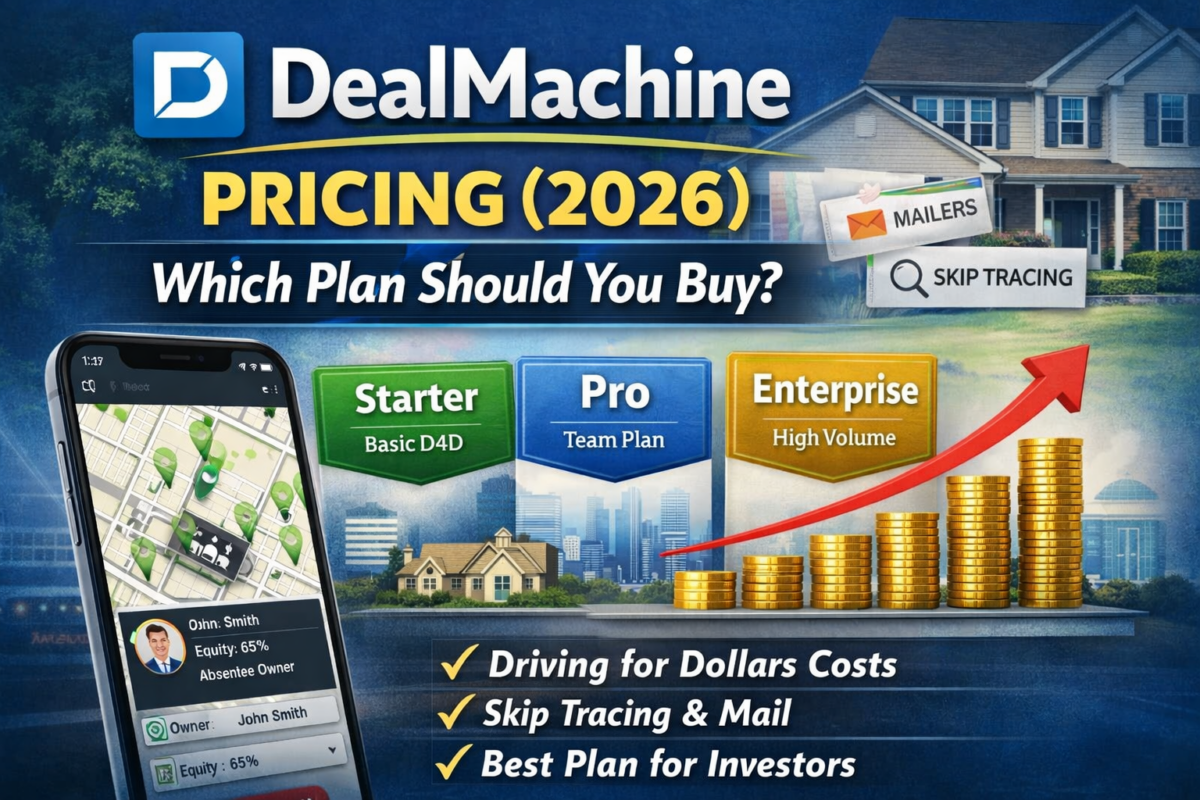
DealMachine Pricing (2026): Which Plan Should You Buy?

DealMachine Pricing

DealMachine pricing is simple on the surface, but most investors pick the wrong plan because they’re thinking in features—not workflow.

The right question is: Are you primarily doing driving for dollars (local routes + consistent pinning), or running broader list/outreach operations?

This guide shows:

  • what each plan is really for,
  • what you can skip,
  • and the cheapest setup that still produces deals.

Best fit for investors running consistent local driving for dollars

Disclosure: Some links on this page are affiliate links, which means we may earn a commission at no extra cost to you. I only recommend tools I’d use to run an investor deal flow. See our Affiliate Disclosure: /affiliate-disclosure/


Quick verdict

  • Buy the plan that supports your actual lead source. If you’re doing true D4D weekly, you want the plan that keeps route tracking + property workflow smooth.
  • If you’re trying to run lists → skip trace → outreach at scale, DealMachine may not be your “all-in-one”—you may be better off pairing a data/outreach platform with a CRM.

If you’re still deciding on the tool itself, start here: DealMachine review/dealmachine-review/

If you’re driving weekly, this is the fastest “see it → add it → work it” workflow.


Table: DealMachine plans

DealMachine plans (2026): what you get

Plan/TierBest forWhat you get (operator view)Watch-outsBuy if you…
Entry / StarterSolo investor starting D4DRoute discipline, fast pin-to-work workflow, basic organizationYou may outgrow if volume/teammates increaseDrive weekly in one market and just need consistent capture + follow-up
Team / Pro (multi-user)2–5 person teamShared leads, cleaner handoffs, scaling routes + accountabilityPaying more doesn’t fix follow-up; you still need SOPsHave multiple drivers/VA and need shared tags/notes + consistent execution
Add-ons (skip trace/mail)Outbound actionsContacting owners inside the workflowCosts can spike if you trace/mail everythingOnly turn on once your lead filter is dialed in
Best-value setup (most investors)Local D4D + simple follow-upDealMachine for capture + your CRM for sequencesTwo-system stack requires disciplineWant maximum ROI without pretending one tool does everything

What you’re actually paying for

DealMachine pricing isn’t just “features”—you’re paying for speed to contact:

  1. Route tracking + repeatable coverage
    If you’re driving the same neighborhoods consistently, clean route history prevents wasted drives and missed streets.
  2. Frictionless lead capture
    The value is in “see it → pin it → identify owner → take action” without losing notes or duplicating effort.
  3. Contact + outreach add-ons
    Some investors use DealMachine mainly for capture + tracking and handle outreach elsewhere. Others want mail/calling inside the system.

If your follow-up is the bottleneck, read: Best AI CRM for real estate investors/best-ai-crm-real-estate-investors/


Which DealMachine plan should you buy?

Best for solo local D4D (1 market, consistent driving)

Pick the plan that gives you:

  • route tracking + D4D workflow,
  • reliable property notes/tags,
  • and enough capability to work every lead you pin.

Default recommendation: start one tier lower than you think you need, then upgrade only when volume forces it.

Start lean, upgrade only when volume forces it.


Best for teams (multiple drivers / VA support)

If you have:

  • multiple users,
  • shared lead lists,
  • and you need clean handoffs,

then prioritize:

  • multi-user workflows,
  • permissions,
  • and consistent tagging/notes.

If you’re building a team outbound machine, compare: DealMachine vs BatchLeads/dealmachine-vs-batchleads/

Best for “I only need it for driving routes and capture”

If you’re using a separate CRM/outreach stack:

  • keep DealMachine focused on sourcing + route discipline
  • and route the lead to your follow-up system.

If you’re choosing a CRM to manage leads after D4D, read my REsimpli review → /resimpli-review/

Most investors fail here because they don’t follow up fast enough. Start here: 7 follow-up automations checklist


Common setups (what I’d run)

Starter stack (solo investor)

  • DealMachine for local D4D sourcing + route tracking
  • Simple follow-up system (CRM or even lightweight pipeline early)

Related guide: Best driving for dollars app (AI)/best-driving-for-dollars-app-ai/

Growth stack (consistent outbound)

  • DealMachine for field capture (if D4D is core)
  • Add a platform built for scale outreach if needed
  • CRM becomes mandatory once volume is consistent

If your lead source includes list building, compare: Best real estate lead generation software (AI)/best-real-estate-lead-generation-software-ai/

Not sure you want DealMachine at all? Compare the top DealMachine alternatives/dealmachine-alternatives/


FAQs

Does DealMachine have a free trial?
Sometimes—check current availability here: /go/dealmachine

Can I use DealMachine without skip tracing or mail?
Yes. Many investors use it for route tracking + lead capture and run skip trace/outreach elsewhere.

What’s the biggest mistake with DealMachine pricing?
Buying a higher plan before you have consistent D4D volume. Your ROI comes from executing weekly, not features.

Should I use DealMachine if I’m doing virtual driving for dollars?
It can work, but if you’re building a multi-market VA workflow, compare it against BatchLeads first: /dealmachine-vs-batchleads/


Sources:

DealMachine official site

DealMachine Review (2026): Best Driving for Dollars App for Real Estate Investors?

DealMachine Review (2026): Best Driving for Dollars App for Real Estate Investors?

If you’re trying to build a consistent off-market lead engine, DealMachine is one of the most “operator-friendly” ways to do it—especially if you’re driving neighborhoods weekly and don’t want your process to fall apart.

It’s not the cheapest tool on the market, and it’s not trying to be a full “everything CRM.” But if your main lead source is driving for dollars, DealMachine is built to reduce friction: route tracking → pin → skip trace → contact → follow-up.

Quick verdict

DealMachine is best for investors who want a simple, repeatable D4D workflow—especially when you’re driving consistently and need clean route coverage, fast capture, and a clear “next action” every time you add a property.

If you’re doing mostly virtual list stacking + outbound campaigns across markets, you may prefer an all-in-one platform (see: PropStream vs BatchLeads /propstream-vs-batchleads/).

Disclosure: Some links on this page are affiliate links, which means we may earn a commission at no extra cost to you. I only recommend tools I’d use to run an investor deal flow. See our Affiliate Disclosure: /affiliate-disclosure/

Considering other options? See the best DealMachine alternatives (by workflow)/dealmachine-alternatives/

DealMachine pricing breakdown (which plan to buy)/dealmachine-pricing/

New to DealMachine? If you’re comparing before you buy, see DealMachine vs BatchLeads: /dealmachine-vs-batchleads/

If your choice is more “driving app vs data platform,” read DealMachine vs PropStream: /dealmachine-vs-propstream/
See best D4D app guide/best-driving-for-dollars-app-ai/


Review Snapshot

CategoryDealMachine (Review)
Best forDriving for dollars (local, boots-on-the-ground)
StrengthRoute tracking + fast property capture
WeaknessNot an all-in-one outbound platform for multi-market scaling
Ease of useVery high (field-first workflow)
Ideal userSolo investor or small team driving weekly
Workflow fitSee it → add it → contact it → follow up
Best next toolDedicated CRM for follow-up once volume grows

What DealMachine is (and who it’s for)

DealMachine is a driving-for-dollars platform built around one thing: capturing distressed properties in the field and turning them into outreach fast.

It’s best for:

  • Local investors doing boots-on-the-ground D4D
  • Next step (what closes deals): Use this 7/14/30-day follow-up system to convert D4D leads → contracts: /ai-follow-up-sequence-real-estate-investors/
  • Small teams with a driver + an admin/VA doing skip tracing + follow-up
  • Wholesalers who want consistent list creation from real-world signals

It’s not ideal if:

  • You only buy from MLS
  • You don’t drive and prefer purely virtual sourcing
  • You want a full CRM + marketing automation suite inside one app

DealMachine pricing breakdown (which plan to buy)/dealmachine-pricing/


The workflow: “see it → add it → contact it”

This is the core reason DealMachine converts well for operators. The app is designed to make the “capture” moment easy and the “next step” obvious.

Typical workflow:

  1. Drive and mark properties quickly
  2. Avoid re-driving the same streets (route history)
  3. Identify owners and contact options
  4. Start outreach and track touchpoints
  5. Keep a clean pipeline of “next actions”

Operator take: If your lead source is D4D, speed matters more than fancy features. DealMachine reduces the friction between “spotting a lead” and “starting outreach.”

Next steps (recommended):


Key features that actually matter

Route tracking (the underrated feature)

If you’re driving weekly, route tracking is what makes your D4D process scalable. It prevents:

  • wasted drives
  • duplicated coverage
  • inconsistent neighborhood targeting

Fast property capture + tagging

The best D4D tools are fast. You should be able to:

  • add a property in seconds
  • tag it by motivation signal (vacant, boarded, tall grass, etc.)
  • mark a next action

Skip tracing + owner data (quality varies by market)

Owner data is always market-dependent, but the real value is how quickly you can act once you have it.

Team execution

If you have a driver + someone doing follow-up, you need:

  • clear statuses
  • accountability
  • simple handoffs

Pros and cons (real investor view)

Pros

  • Excellent for repeatable D4D execution (field-first)
  • Route tracking helps avoid wasted canvassing
  • Simple “capture → work → repeat” design
  • Great fit for small teams who drive consistently

Cons

  • Not a full CRM replacement for bigger operations
  • Virtual sourcing is not its primary strength
  • ROI depends on your consistency (weekly routes win)

Pricing: what plan should you get?

DealMachine plans change over time, so here’s how to choose the right one:

  • Solo investor (driving yourself): start with the plan that supports your weekly driving + basic outreach
  • Small team: choose the plan that supports team workflows + higher usage (you’ll feel limits quickly if you’re consistent)
  • Scaling outbound: if your business is mainly list stacking + campaigns, compare with /dealmachine-vs-batchleads/

Best rule: pick the plan that supports the number of properties you can realistically add and follow up on every week. A “bigger plan” doesn’t help if you don’t have consistent follow-up.


DealMachine vs alternatives (quick comparisons)


Best-by-scenario: should you use it?

Pick DealMachine if…

  • You drive weekly or have someone driving for you
  • You want a clean D4D system that doesn’t rely on spreadsheets
  • You care about route coverage and consistent list creation

Skip DealMachine if…

  • You don’t drive (and don’t plan to)
  • Your strategy is mainly virtual lists and mass outbound
  • You want a full CRM + marketing suite in one tool

The winning setup (what I’d run)

Starter setup (solo investor)

If you need the follow-up piece, start here: /best-ai-crm-real-estate-investors/

Growth setup (small team)

  • DealMachine for consistent property capture
  • Dedicated follow-up + sequences so leads don’t die

Capturing leads is step one—here’s how to set up your CRM (8 steps) so follow-up is automatic → /ai-crm-setup-real-estate-investors/


FAQs

Is DealMachine only for driving for dollars?

It’s best known for D4D and field execution, but you can also use it to organize outreach and property follow-up. The main advantage is still the D4D workflow.

Can you use DealMachine and a CRM together?

Yes—and many operators do. Use DealMachine to create leads, then push follow-up into a CRM once volume grows.

Is it worth it for beginners?

Only if you’ll actually drive consistently. If you can commit to weekly routes, it can be one of the fastest ways to build your first off-market pipeline.


Next steps


Sources

DealMachine vs BatchLeads (2026): Which One Actually Fits Your Deal Flow?

DealMachine vs BatchLeads (2026): Which One Actually Fits Your Deal Flow?

If you’re choosing between DealMachine and BatchLeads, the real decision is not which tool is better in general. It is which workflow fits how you actually source and work leads.

DealMachine is built around driving for dollars with route tracking and a clean see it → add it → contact it workflow.

BatchLeads is positioned as an all-in-one lead generation platform with property search, list building, skip tracing, outbound campaigns, and CRM-style pipeline tools (plus virtual driving for dollars).

For most investors, the DealMachine vs BatchLeads choice comes down to local D4D workflow vs list-building and outbound scale.

This guide compares DealMachine vs BatchLeads like an operator: lead sourcing workflow, speed to contact, scale, and team execution.

New here? Start with Best AI Tools for Real Estate Investors


Quick verdict

Pick DealMachine if you want boots-on-the-ground driving for dollars, clean route tracking, and a simple local sourcing workflow.

Pick BatchLeads if you want to scale across lists and markets with list building, skip tracing, outreach, and a more all-in-one acquisition workflow.

Common winning setup: one tool for sourcing + one system for follow-up once you are doing consistent outbound.

If you are still deciding on the driving-for-dollars workflow, start here: Best Driving for Dollars App (AI).

Once you have a lead source, follow-up is the money lever. Start here: Best AI CRM for Real Estate Investors.

Want a more customizable follow-up system? See HubSpot for Real Estate Investors.

Disclosure: Some links on this page are affiliate links, which means we may earn a commission at no extra cost to you. I only recommend tools I’d use to run an investor deal flow. See our Affiliate Disclosure: /affiliate-disclosure/

If you’re comparing the big three, use this triangle to decide faster:


Side-by-side comparison: DealMachine vs BatchLeads

CategoryDealMachineBatchLeadsWho wins (typical)
Core identityDriving for Dollars firstAll-in-one lead platformDepends on workflow
Route trackingAutomatic drive route logging to avoid duplicatesMobile route tracking & canvassing toolsDealMachine for field-first simplicity
Virtual drivingSupports virtual D4D strategy contentExplicit virtual driving for dollars + map workflowBatchLeads
List buildingAvailable but not the “main story”One-click lead lists + search/list workflowsBatchLeads
Skip tracingPart of lead-to-contact workflowMarkets skip tracing prominentlyBatchLeads
OutreachSupports lead contact actionsMarkets outbound campaigns + in-app dialingBatchLeads
Best forLocal D4D reps / route disciplineMulti-market + outbound teamsDepends

If neither is the right fit for your workflow, see DealMachine Alternatives (by workflow).


What matters most when choosing between DealMachine and BatchLeads

  • If you are physically driving neighborhoods weekly, route tracking and frictionless pinning matter most.
  • If you are scaling outbound, list stacking, skip tracing, dialer/texting, and pipeline workflow matter most.
  • If you want a cleaner local field workflow, DealMachine usually fits better.
  • If you want multi-market list + outreach execution, BatchLeads usually fits better.

Want deeper detail on the local D4D workflow? Read my DealMachine Review.


The real difference: field workflow vs scale workflow

1) Driving for dollars (boots-on-the-ground)

DealMachine heavily emphasizes automatic route logging so you can see past routes and avoid driving the same areas twice. BatchLeads also supports a D4D workflow (including mobile route tracking), but it’s typically framed as part of a broader acquisition system.

Operator take: If your core lead source is true driving for dollars, DealMachine is usually the cleaner day-to-day experience.

Need help choosing a plan? See DealMachine Pricing.


2) Virtual driving + multi-market sourcing

If you’re hunting outside your local market, BatchLeads explicitly markets virtual driving for dollars and expanding into new markets. DealMachine also discusses virtual driving as a strategy (volume + speed, tagging/filtering for distress).

Operator take:
For multi-market and “VA-led virtual canvassing,” BatchLeads is typically the more direct fit.

If you are still deciding which D4D workflow fits your model, see Best Driving for Dollars App (AI).


3) Lists, skip tracing, and outreach

BatchLeads positions itself around skip tracing, lead lists, outbound campaigns, and CRM features.
It also mentions a native in-app dialer (and AI-guided calling). DealMachine’s strength is often the lead capture + tracking workflow around D4D routes and field execution.

Operator take: If your business runs on volume outbound (lists → skip trace → dial/text → follow-up), BatchLeads is built for that workflow.

Read my BatchLeads Review for a deeper breakdown.

Once you pick a lead source, your next lever is follow-up. Start here: Best AI CRM for Real Estate Investors.

For more investor-first CRM options, see REsimpli Alternatives.


Get the 7 Follow-Up Automations Playbook (PDF)

Use the exact follow-up automations investors use to respond faster, re-queue missed leads, and follow up consistently.


Best-by-use-case (pick your lane)

Best for local D4D (you drive weekly)

DealMachine

Best for virtual canvassing / expansion markets

BatchLeads

Best for list building + outreach-in-one-place

BatchLeads

Best for simple “see it → add it → work it” sourcing

DealMachine


Suggested stacks (what I’d run)

Starter stack (solo investor)

Growth stack (team + consistent outbound)

If you are building a local D4D machine, start with DealMachine. If you are scaling outbound across lists and markets, start with BatchLeads.


FAQs

Is DealMachine only for driving for dollars?
It’s best known for D4D and route tracking, but it also supports filtering/tagging workflows and virtual D4D concepts.

Does BatchLeads have driving for dollars?
Yes—BatchLeads promotes both D4D and virtual driving workflows, plus a mobile app for tracking routes/notes.

Which one is better for multi-market acquisitions?
BatchLeads is explicitly positioned for expanding into new markets with virtual canvassing.

Which one is better for list pulling + outbound campaigns?
BatchLeads positions itself as an all-in-one platform including skip tracing, campaigns, and CRM-like features.

Can you use both together?
Yes—many operators source leads one way (local D4D) and run a separate outbound/follow-up system as they scale.

Which is better for driving for dollars, DealMachine or BatchLeads?
For most investors whose primary lead source is local driving for dollars, DealMachine is usually the cleaner fit. BatchLeads is often stronger when D4D is part of a broader list-building and outbound workflow.


Sources:

PropStream vs BatchLeads (2026): Which One Should Real Estate Investors Use?

PropStream vs BatchLeads (2026): Which One Should Real Estate Investors Use?

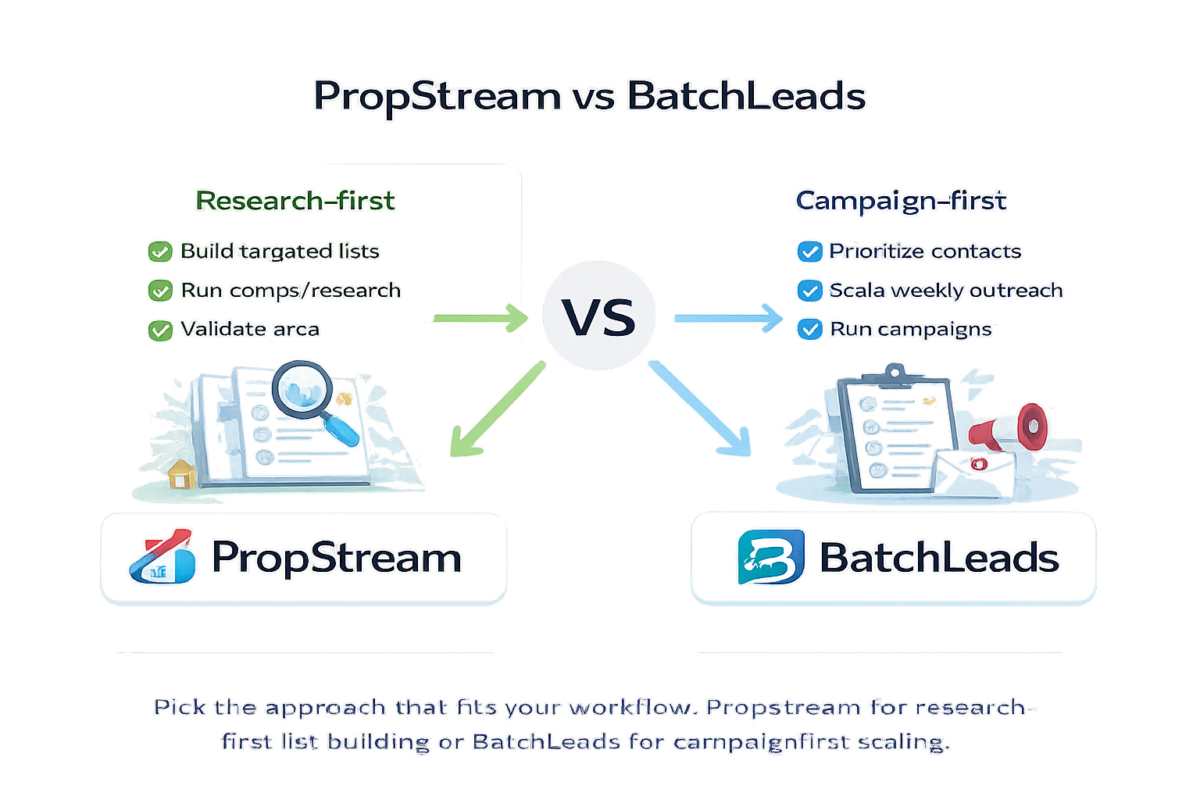
PropStream and BatchLeads can both help you get leads—but they’re built for different investor motions:

  • PropStream is best when your engine is research → targeted lists → outreach.
  • BatchLeads is best when your engine is consistent marketing → prioritization → campaigns.

Related guides:


Quick Verdict

  • Choose PropStream if you want research + list building + comps support. → Try PropStream
  • Choose BatchLeads if you run consistent marketing and want AI prioritization + campaigns. → Try BatchLeads

Disclosure: Some links on this page are affiliate links, which means we may earn a commission at no extra cost to you. I only recommend tools I’d use to run an investor deal flow. See our Affiliate Disclosure: /affiliate-disclosure/

Complete the triangle: DealMachine vs BatchLeads (field D4D vs scaled outbound) →

Need to pick a PropStream plan first? Start here → /propstream-pricing/

Still not sure you want PropStream? See my PropStream alternatives guide to pick the best option by workflow (list building, virtual driving, or driving for dollars): /propstream-alternatives/


Comparison Table

FeaturePropStreamBatchLeadsWinner / Notes
Primary use caseResearch + list building + comps supportLead lists + prioritization + outreach/campaign workflowDepends on your engine
Best for beginnersYes: research-first, build targeted listsYes if you market consistently and want prioritizationPropStream for most beginners
List building filtersStrong: deep filtering + research workflowStrong: list building + campaign orientationTie (different strengths)
AI prioritizationLimited/not the coreStronger: prioritization signals for who to contact firstBatchLeads
Property research/compsStronger research workflow + comps supportMore campaign/outreach oriented than researchPropStream
Campaign executionSupports list export + planningMore built around campaigns and outreach workflowsBatchLeads
Best for scaling outreachGood, but not campaign-nativeStrong if you run weekly outreach at volumeBatchLeads
Best for underwriting supportBetter supporting data + researchNot the primary focusPropStream
Typical buyer intentI need lists + research + comps supportI need prioritization + campaigns to scale outreach
RecommendationStart here if you’re research-first and building listsChoose if your bottleneck is outreach efficiency at scaleConsistency beats tool choice


The decision framework (pick the engine, then the tool)

Choose PropStream if you’re research-first

PropStream is the best fit when you want to target owners using filters, validate areas, and support underwriting inputs with research.

Choose PropStream if

  • You want market → filters → list → comps support
  • You’re building targeted lists (absentee, high equity, etc.)
  • You’re earlier-stage and want a straightforward research-first workflow

Choose BatchLeads if you’re campaign-first

BatchLeads shines when you already do consistent outreach and want to prioritize and scale campaigns efficiently.

Choose BatchLeads if

  • You run weekly marketing and outreach
  • You want prioritization signals to contact the best prospects first
  • You want a platform oriented around campaigns and scaling volume

What most investors get wrong

They buy a “better tool” instead of fixing cadence.

If you’re not doing weekly outreach, prioritization doesn’t matter yet. Start with a research-first workflow and build consistency.


Best starter stacks (based on strategy)

Strategy A: Research-first list marketing

Strategy B: Campaign-first scaling

Also see our BatchLeads Review → /batchleads-review/

Once leads come in, follow-up matters: Best AI CRM for Real Estate Investors.

If you want a dedicated investor CRM to run the follow-up, start here: REsimpli review → /resimpli-review/


Get the 7 Follow-Up Automations Checklist

Steal the exact automations investors use to respond faster and follow up consistently.


FAQs

Is PropStream better than BatchLeads?

Not universally. PropStream is stronger for research and list building. BatchLeads is stronger for prioritization and campaign-style outreach. The right pick depends on your workflow.

Can I use both?

Yes, but only after you’re executing one workflow consistently. Start with one engine first, then expand.


Next steps


Sources: