PropStream Review (2026): Best for Real Estate Investors Who Need Lists + Skip Tracing?

If your real estate investing business depends on finding off-market leads, building targeted lists, comping properties, and reaching owners fast, PropStream is one of the first tools you’ll probably look at and this PropStream review is where you will want to start.

And for good reason.

PropStream is built around a workflow most investors already understand: pull data, filter for likely sellers, stack motivation signals, run comps, skip trace, and start outreach. Instead of forcing you to patch together multiple tools from scratch, it tries to keep most of that process in one place.

The bigger question is whether it’s actually the right fit for your deal flow.

For some investors, PropStream is a strong all-around lead-gen platform. For others, it can feel like a data-heavy tool that works best when you already know your acquisition model and are prepared to turn lists into outreach fast.


Quick verdict: PropStream Review

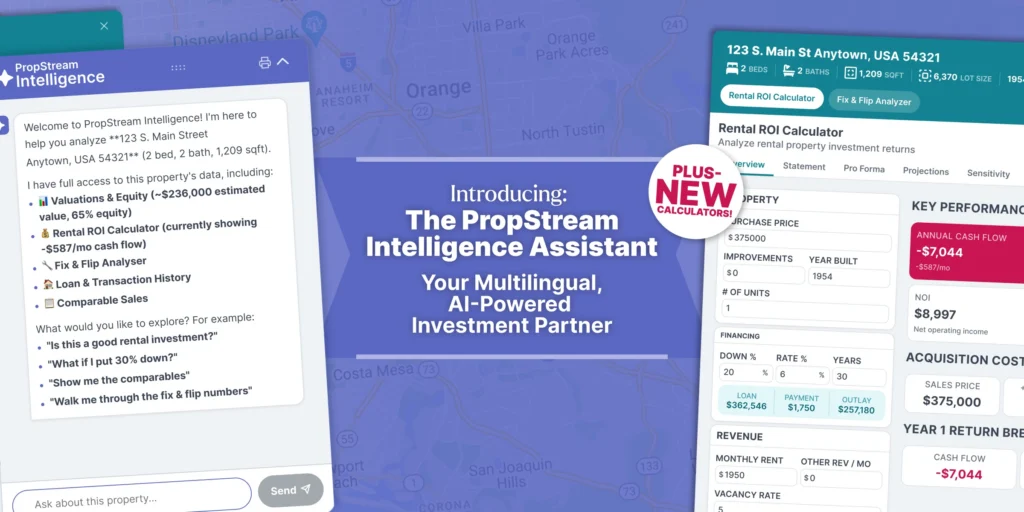
PropStream is best for real estate investors who want one platform for list building, property research, comps, and skip tracing. It is especially attractive for wholesalers, flippers, and buy-and-hold investors who pull targeted lead lists and need to move quickly from research to outreach. PropStream positions itself as an all-in-one lead generation, comping, and marketing platform, with nationwide property data, comps, calculators, demographic data, AI features, skip tracing, emails, landing pages, and a 7-day free trial.

Disclosure: Some links on this page are affiliate links, which means we may earn a commission at no extra cost to you. I only recommend tools I’d use to run an investor deal flow. See our Affiliate Disclosure: /affiliate-disclosure/


Who should seriously consider it

  • Investors building targeted off-market lists
  • Wholesalers running consistent outbound outreach
  • Small acquisition teams that want research + contact workflows in one system
  • Investors who care about comps and lead filtering, not just driving for dollars

Who may want something else

  • Investors who mainly want a simpler driving-for-dollars workflow
  • Teams that already have a CRM and only need one narrow data function
  • Beginners who are not yet ready to work filtered lists consistently

If PropStream feels too data-heavy for your workflow, check our list of PropStream alternatives.


What PropStream does well

The core strength of PropStream is workflow compression.

Instead of using one tool for data, another for comps, another for skip tracing, and another for list maintenance, PropStream tries to keep those steps connected. Officially, it offers nationwide property data, lead generation tools, comps, calculators, demographic data, AI-driven features, skip tracing, emails, landing pages, and more.

That matters because real estate lead generation usually breaks down in the handoff between steps. You pull a list, export it, clean it, upload it somewhere else, then lose momentum before the actual outreach starts.

PropStream is strongest when you use it to reduce that friction.

1. List building is still the main attraction

If your acquisition strategy depends on absentee owners, pre-foreclosures, distress signals, equity, liens, vacancies, or similar targeting logic, PropStream is built for that kind of filtering. Its positioning is still centered on helping users find off-market property leads and build curated lead lists.

That makes it a better fit for investors who think in terms of:

  • “Show me likely motivated sellers”
  • “Let me narrow by geography, equity, ownership profile, and distress”
  • “Give me a list I can actually work this week”

2. The comps and research angle adds real value

A lot of lead-gen tools help you build lists. Fewer make it easy to move directly into property research and comping without changing systems.

PropStream explicitly markets comps, calculators, and research tools as part of the same workflow, which is why it often appeals to flippers and investors who do more than just blast lists.

That makes the platform more useful when you want to:

  • validate whether a lead is worth chasing
  • estimate opportunity before contacting the owner
  • quickly underwrite markets or neighborhoods
  • keep acquisition decisions closer to the data

3. Skip tracing is more integrated than it used to be

One of the more important current advantages is how central skip tracing has become inside PropStream’s workflow. PropStream says skip tracing is now built directly into platform workflows, with features like DNC flagging and litigator scrubbing. It also says some plans include free skip tracing, while Essentials users may pay per contact.

For investors doing real outreach, this matters more than flashy dashboard features.

You do not just need leads. You need contactable leads.

So if your business model relies on:

  • cold calling
  • SMS outreach
  • repeated seller follow-up
  • list-to-dial speed

…then PropStream becomes more compelling.

4. It increasingly supports lead-to-dial workflows

PropStream recently added or expanded dialing-related workflows and has public messaging around moving users from lead research to live conversations faster. It also promotes integrations and discounts tied to BatchDialer for users who want higher-volume outbound calling.

That does not mean it is automatically your best dialing stack. But it does mean the product is clearly moving toward a more complete acquisition workflow rather than staying just a static property-data tool.


Where PropStream can fall short

No tool is best at everything, and PropStream has tradeoffs.

1. It works better for operators than dabblers

If you are not consistently pulling lists, researching opportunities, or doing outreach, PropStream can feel like more platform than you need.

This is not really a casual “log in once a month” type of product. You get the most value when you already know:

  • what kind of sellers you want
  • what filters matter to your model
  • how you plan to follow up
  • how to turn lead data into offers or conversations

2. It is not a full investor operating system

PropStream is strongest on the front end of acquisition: data, filtering, research, list creation, and contact workflows. If you want deep CRM automation, pipeline management, and team follow-up systems, an investor-first CRM may still be the better core hub.

In plain English: PropStream is often the engine for finding leads, not necessarily the entire machine for managing every deal stage.

3. You still need execution

This sounds obvious, but it matters.

Tools like PropStream do not create deals. They create better shots on goal.

If your lists are weak, your outreach is inconsistent, or your follow-up is poor, the platform will not magically fix that. The investors who get the most from PropStream are usually the ones who already have:

  • a list strategy
  • a repeatable outreach process
  • a clear acquisition box
  • discipline around follow-up

If you want a broader overview of software options, start with our guide to the best AI lead generation software for real estate investors.


Best fit by investor type

Best for wholesalers

PropStream is a strong fit for wholesalers who want to pull niche motivated-seller lists, comp properties quickly, and move those records into outreach.

Best for flippers

Flippers who rely on equity, distress, and neighborhood-level research can benefit from having list filtering and comping in the same place.

Best for buy-and-hold investors

Buy-and-hold investors can still use PropStream well, especially when sourcing off-market rentals or small portfolios. But the platform tends to be strongest for investors with a more active acquisition engine.

Best for small acquisitions teams

If you have a VA, acquisitions rep, or small in-house lead pipeline, PropStream is more compelling because the tool can support a more repeatable list-to-contact workflow.


Key features that matter most

For investors, the most meaningful feature set is not the marketing language. It is whether the tool helps you move through the deal-finding process faster.

The features that matter most here are:

  • targeted lead list building
  • property data and research
  • comps
  • calculators
  • demographic insights
  • skip tracing
  • contact workflows
  • AI-enhanced features
  • lead automation options
  • trial access to test workflow fit

Those are all areas PropStream currently highlights across its official product and feature pages.


Pricing fit

PropStream currently offers tiered pricing and a 7-day free trial, and it markets different plan levels around access to lead generation tools, curated data, and skip tracing benefits. It also states that free skip tracing is included on select plans, with different treatment for Essentials depending on add-ons or per-contact usage.

That means the real pricing question is less “Is PropStream cheap?” and more:

Will I use it enough to justify another monthly operating expense?

For many investors:

  • Yes, if you actively pull and work lists
  • Maybe not, if you only need occasional property lookups or you already pay for overlapping tools

If you’re comparing monthly costs, see our PropStream pricing guide.


Pros and cons

Pros

  • Strong fit for off-market list building
  • Useful combination of data, comps, and contact workflows
  • Better than narrower tools for investors who want multiple acquisition steps in one place
  • Skip tracing and lead-to-dial workflow are becoming more central
  • Good fit for active lead generation teams
  • 7-day free trial lowers testing risk

Cons

  • Can be more tool than a beginner needs
  • Best results still depend on strong outreach execution
  • Not the same thing as a full investor CRM
  • May overlap with other tools if your stack is already mature

PropStream vs other tools: where it sits

Here is the simplest way to think about it:

That is why PropStream often works best as either:

  • your main acquisition data tool, or
  • the front-end lead source feeding the rest of your system

If you’re choosing between list-building depth and a field-first workflow, read DealMachine vs PropStream.

If you’re deciding between two list-pulling platforms, see PropStream vs BatchLeads.


My verdict

PropStream is one of the better fits for real estate investors who need list building, property research, comps, and skip tracing in one platform. Its official product positioning is still heavily centered on being an all-in-one lead generation, comping, and marketing solution, and recent product updates show continued focus on outreach speed and integrated skip tracing.

It is not the best choice for every investor.

But if your acquisition model depends on identifying motivated sellers, narrowing lists intelligently, validating opportunities, and contacting owners fast, PropStream deserves to be on your shortlist.

For the right operator, it can reduce tool sprawl and tighten the gap between “I found a lead” and “I started the conversation.”


Final recommendation

Try PropStream if:

  • you actively build and work seller lists
  • you want comps and lead data in one place
  • skip tracing matters to your workflow
  • you want a more complete acquisition tool than a narrow single-purpose app

Skip it if:

  • you want a simpler beginner tool
  • you mostly need CRM automation
  • your current stack already covers data, list building, and outreach well

If your business is built around targeted lead generation, PropStream is a legitimate contender.


Sources:

TurboTenant Alternatives (2026): Best Options for Small Landlords (By Workflow)

If you’re looking for a TurboTenant alternative, the real question isn’t “which tool has more features?”

It’s which platform matches how you actually run rentals each month: leasing speed, rent collection, maintenance tracking, and reporting at tax time.

TurboTenant is often the best fit when you want a simple, low-overhead leasing + rent collection system. But if you need deeper operations, stronger reporting, or a more scale-ready process, these are the best TurboTenant alternatives by workflow.

If you want the head-to-head comparison first, start here: Buildium vs TurboTenant.


Quick verdict

Best TurboTenant alternative for full PM operations + reporting: Buildium
Best TurboTenant alternative if you want to stay simple but improve execution: Compare options by workflow
Best next step if you’re deciding between plans: TurboTenant pricing breakdown

Disclosure: Some links on this page are affiliate links, which means we may earn a commission at no extra cost to you. I only recommend tools I’d use to run a real rental operation. See our Affiliate Disclosure: /affiliate-disclosure/


Side-by-side comparison: TurboTenant alternatives (by workflow)

ToolBest forWhy it winsWatch-outsBest next step
BuildiumFull PM operations + reportingStronger structure for maintenance, reporting, and scale-ready workflowsMore setup; can feel heavier for very small portfoliosTry Buildium
TurboTenantSimple leasing + rent collectionFast setup for applications, screening, leases, and rent collection with low overheadMay feel limited if you want deeper ops/reporting as you scaleTry TurboTenant

What “TurboTenant alternative” should mean (choose by workflow)

1) If you want deeper PM operations and better reporting

Best alternative: Buildium

Buildium is usually the best TurboTenant alternative when your pain is operations and visibility:

  • stronger maintenance workflows and history by unit
  • better reporting and cleaner records at tax time
  • scale-ready structure for 10–50 units

Operator take: If you manage recurring maintenance, vendors, or multiple units where tasks get dropped, a more complete ops platform often wins.

Read the full breakdown: Buildium Review
See plans: Buildium Pricing


2) If you want to stay lean but tighten execution

Some landlords do not need a heavy PM platform. They need a repeatable process they will actually follow weekly.

In that case, the best “alternative” may be improving the workflow around your current tool:

  • faster response to leads and applicants
  • consistent follow-up on maintenance
  • monthly bookkeeping review cadence
  • clean documentation habit

If you are staying in TurboTenant, make sure you’re using the best plan for your workflow:
TurboTenant Pricing


3) If you are scaling and want to avoid switching later

Switching property management software later is annoying. If you are confident you will scale, it can be smarter to choose the platform you will not outgrow in 12–18 months.

If your future includes more doors, more maintenance, and more reporting needs, Buildium is usually the safer long-term choice.


The “upgrade trigger” checklist (when TurboTenant starts feeling cramped)

TurboTenant is great for simplicity. It starts feeling limited when:

  • you need deeper reporting and portfolio visibility
  • you want more operational controls and workflows
  • maintenance coordination is recurring and messy
  • bookkeeping is taking too much time monthly
  • tasks get dropped as units increase

If two or more are true, it is time to evaluate Buildium.

Compare them directly: Buildium vs TurboTenant


Best-by-scenario recommendations

Best for simple leasing + rent collection

Best for full PM operations + reporting

Best for landlords planning to scale

Best for lowest overhead


Suggested stacks (how I’d run it)

Starter stack (1–10 units)

If you want the workflow templates,


Growth stack (10–50 units)


FAQs

What is the best TurboTenant alternative for small landlords?

For landlords who need deeper operations and reporting, Buildium is usually the best TurboTenant alternative. For landlords who want simplicity, TurboTenant is often still the best fit.

Is Buildium better than TurboTenant?

Buildium is usually better for full PM operations and reporting. TurboTenant is usually better for simplicity and low overhead.
Compare them: /buildium-vs-turbotenant/

Should I switch away from TurboTenant?

If TurboTenant fits your workflow and you use it consistently, staying is often the best move. If your pain is reporting, operations, or maintenance coordination as you scale, switching to a deeper ops platform can make sense.

Can I start with TurboTenant and upgrade later?

Yes, but switching platforms later is annoying. If you know you will scale soon, choose the platform you will not outgrow in 12–18 months.


Sources:

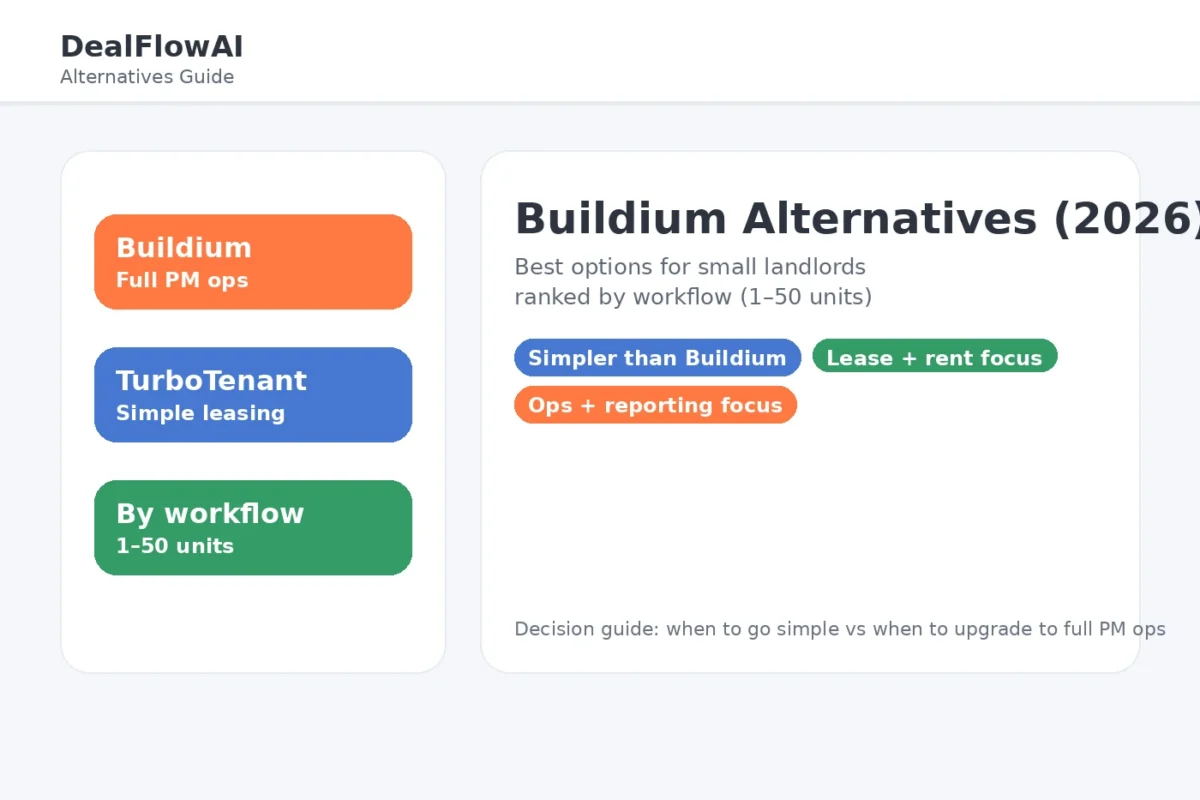
Buildium Alternatives (2026): Best Options for Small Landlords (By Workflow)

If you’re looking for a Buildium alternative, the real question is not “which software has more features?”

It’s which platform matches how you actually run rentals each month: leasing speed, rent collection, maintenance execution, and reporting at tax time.

Buildium is often the best fit when you want a more complete PM operations system (maintenance workflows + reporting + scale-ready structure). But if your portfolio is smaller, your workflows are simpler, or you want a different tradeoff, these are the best Buildium alternatives by goal.

If you want the head-to-head comparison first, start here: Buildium vs TurboTenant.


Quick verdict

Best simple Buildium alternative (leasing + rent collection): TurboTenant
Best “full PM ops” alternative (if you want deeper structure): Compare options based on your workflow, then confirm current fit
Best next step if you are choosing plans: Buildium pricing breakdown

Disclosure: Some links on this page are affiliate links, which means we may earn a commission at no extra cost to you. I only recommend tools I’d use to run a real rental operation. See our Affiliate Disclosure: /affiliate-disclosure/


Side-by-side comparison: Buildium alternatives (by workflow)

ToolBest forWhy it winsWatch-outsBest next step
TurboTenantSimple leasing + rent collectionFast setup for applications, screening, leases, and rent collection with low overheadMay feel limited if you want deeper PM ops and reporting as you scaleTry TurboTenant
BuildiumFull PM operations + reportingStronger structure for maintenance, reporting, and scale-ready workflowsMore setup; can feel heavier for very small portfoliosTry Buildium

What “Buildium alternative” should mean (choose by workflow)

1) If you want a simpler system for leasing + rent collection

Best alternative: TurboTenant

TurboTenant is usually the best Buildium alternative when your workflow is straightforward and you want lower overhead:

  • fast leasing workflow (applications → screening → lease)
  • tenant-friendly rent collection
  • lighter setup than a full PM ops platform

Operator take: If you are under ~20 units and you are not running heavy maintenance/vendor workflows, a simpler tool often wins because you will actually use it weekly.

Read the full breakdown: TurboTenant Review
See plans: TurboTenant Pricing


2) If you want a stronger “operations system” as you scale

Best fit: Buildium (or a similar full PM ops platform)

If your real need is:

  • maintenance coordination and history by unit
  • stronger reporting and cleaner records at tax time
  • a system that won’t collapse when units increase

…then you are usually not looking for “a cheaper Buildium.” You are looking for a real operational system.

If you are on the fence, start with these:

And if you are choosing between “simple vs full ops,” start here:
Best Property Management Software for Small Landlords


3) If you are optimizing for lowest overhead (and can tolerate limitations)

For some landlords, “best” is simply the tool that keeps rent flowing and leases signed without adding complexity.

In that case, a simple platform (TurboTenant) usually beats heavier PM tools because you keep your process clean and consistent.


The “upgrade trigger” checklist (when Buildium becomes worth it)

Even if you start with a simpler alternative, these are signs it’s time to move to a more complete ops platform like Buildium:

  • you have recurring maintenance and vendor coordination is messy
  • you need cleaner reporting and transaction tracking
  • you are managing more units and tasks get dropped
  • you are spending too much time “rebuilding context” every month

If two or more of these are true, Buildium is often worth it.


Best-by-scenario recommendations

Best for simple leasing + rent collection

Best for landlords planning to scale →

Best for reducing maintenance chaos

Best for lowest overhead → TurboTenant → /go/turbotenant


Suggested stacks (how I’d run it)

Starter stack (1–10 units)

If you want the workflow templates:


Growth stack (10–50 units)


FAQs

What is the best Buildium alternative for small landlords?

For many small landlords, TurboTenant is the best Buildium alternative when you want a simpler leasing + rent collection system with lower overhead.

Is TurboTenant better than Buildium?

TurboTenant is usually better for simplicity and speed. Buildium is usually better for deeper operations, reporting, and scale-ready workflows.
Compare them: /buildium-vs-turbotenant/

Should I switch away from Buildium?

If Buildium feels too heavy for your current portfolio and you mainly need leasing + rent collection, switching to a simpler tool can make sense. If your main pain is operations and reporting, switching away often makes things worse.

Can I start with TurboTenant and switch later?

Yes, but switching is annoying. If you know you will scale soon, choose the platform you will not outgrow in 12–18 months.


TurboTenant Pricing (2026): Which Plan Should Small Landlords Choose?

If you’re comparing TurboTenant pricing, the main question is not just what each plan costs.

It’s which plan fits your workflow right now so you avoid paying for features you won’t use yet.

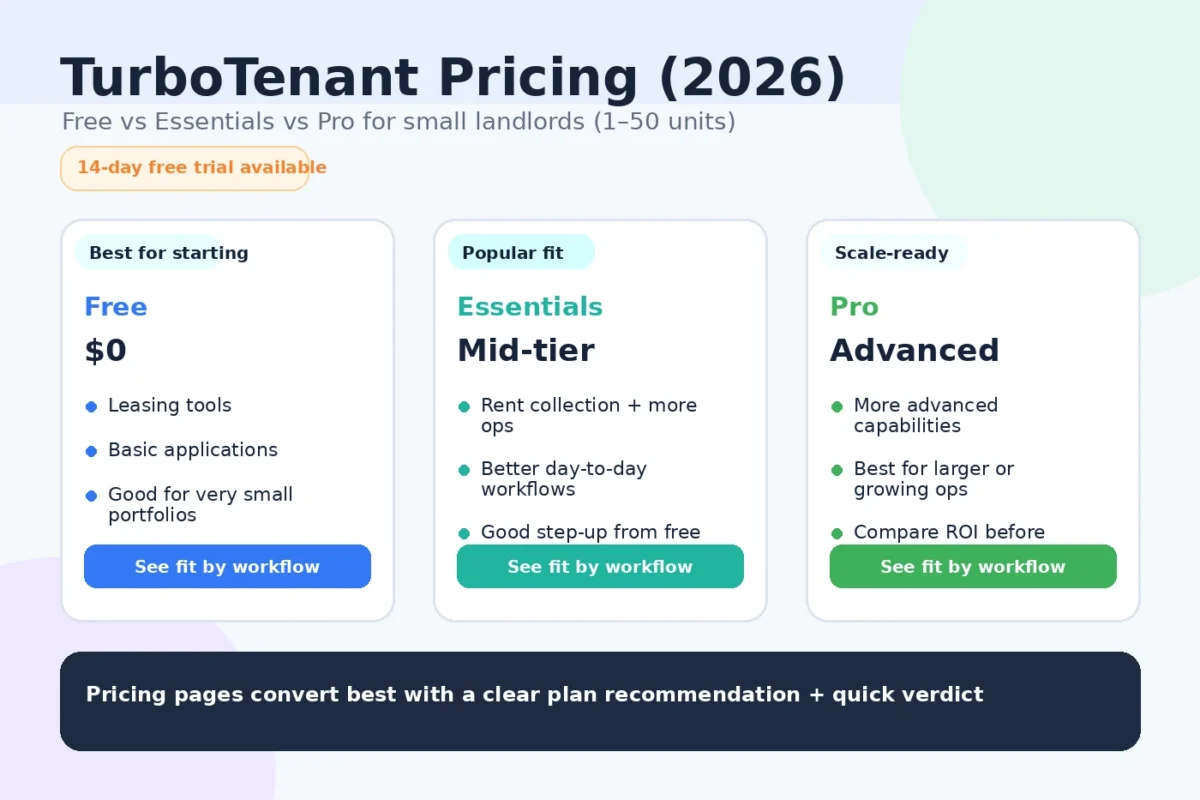
TurboTenant is attractive because you can start at $0/month and still get core landlord functions. Then, if you need more speed, leasing tools, or accounting features, you can move up to Essentials or Pro. TurboTenant’s pricing page states Free, Essentials, and Pro plan options, with annual billing shown for paid tiers.

This guide breaks TurboTenant pricing down for real-world landlord use cases (1–50 units), not just feature lists.

If you are still comparing overall PM software first, start here:
/best-property-management-software-small-landlords/

Quick verdict

  • Pick TurboTenant Free if you want the lowest-cost way to handle leasing + rent collection basics.
  • Pick TurboTenant Essentials if you want smoother leasing workflows and faster execution without going all-in on a heavier PM system.
  • Pick TurboTenant Pro if you want the strongest TurboTenant setup, especially for accounting visibility and more automated tracking.

Disclosure: Some links on this page are affiliate links, which means we may earn a commission at no extra cost to you. I only recommend tools I’d use to run a rental operation. See our Affiliate Disclosure: /affiliate-disclosure/


TurboTenant pricing plans at a glance

TurboTenant’s pricing page shows 3 main tiers:

  • Free — $0/month
  • Essentials — priced as a monthly equivalent when billed annually
  • Pro — priced as a monthly equivalent when billed annually

At the time of writing, TurboTenant’s pricing page shows Essentials at $12.42/mo billed annually ($149) and Pro at $16.58/mo billed annually ($199), while the Free tier remains $0/month.

What matters more than the monthly number

When choosing a plan, focus on:

  • How many units you manage
  • Whether leasing speed matters more than reporting depth
  • Whether you need accounting automation now or later
  • How often you create leases / e-sign documents
  • Whether you are optimizing for lowest cost vs lowest time

Side-by-side comparison (TurboTenant pricing tiers)

PlanBest forWhat you get (high level)Watch-outsBest next step
FreeNew landlords / lowest-cost setupCore landlord workflow tools at $0, including listings, applications/screening, rent collection, and maintenance requestsYou may outgrow it if you need faster leasing execution or more automationStart Free
EssentialsLeasing-heavy small portfoliosPaid upgrade for smoother leasing/document workflows (leases, e-signatures, lower screening fees, etc.)May still feel limited if you want more accounting automation/reporting depthChoose Essentials
ProLandlords wanting stronger automation + accounting visibilityIncludes Essentials plus additional features like income verification, free ACH payments, and accounting insights/automated transaction trackingStill compare against Buildium if you need a heavier PM operations systemChoose Pro

Which TurboTenant plan should you choose? (by workflow)

1) Best for brand-new landlords or ultra-lean setups: Free

Best pick: TurboTenant Free

TurboTenant’s Free plan is the right starting point if your goal is to reduce friction, not build a complex PM tech stack. TurboTenant highlights core features even at the free tier, including listings, applications/screening, online rent collection, and maintenance requests.

Best for:

  • 1–5 units
  • First-time self-managing landlords
  • Landlords who want to stop using scattered spreadsheets + manual texts
  • Anyone testing software adoption before committing to a paid plan

Operator take:
If you are small and inconsistent with process, Free is often the best first move because you can start using it now and upgrade only when a bottleneck appears.


2) Best for faster leasing workflows: Essentials

Best pick: TurboTenant Essentials

Essentials is usually the right fit when Free works, but you want less friction in leasing and document handling. TurboTenant’s pricing page lists upgrades such as unlimited lease agreements/e-signatures and lower screening fees in Essentials.

Best for:

  • 3–15 units
  • Landlords turning over units and creating leases regularly
  • Owners who want faster setup and cleaner leasing admin
  • Small portfolios where speed matters but deep accounting automation is not yet critical

Operator take:
Essentials is a practical step-up when your pain point is leasing execution, not advanced accounting.


3) Best for landlords who want more automation + accounting visibility: Pro

Best pick: TurboTenant Pro

TurboTenant Pro is generally the best TurboTenant plan if you want the strongest feature set inside the platform. TurboTenant’s pricing page shows Pro includes Essentials and adds features like income verification, free ACH payments, and accounting insights/automated transaction tracking.

Best for:

  • 10–50 units
  • Landlords who care about reporting and consistency
  • Operators who want more automation in payments and transaction tracking
  • Landlords trying to reduce bookkeeping friction over time

Operator take:
If you plan to grow and want to avoid outgrowing your workflow too quickly, Pro is the safer long-term TurboTenant choice.

Need options? See our: TurboTenant Alternatives


TurboTenant pricing vs value (what actually affects ROI)

The real ROI test

TurboTenant pricing is low compared with the cost of mistakes and time loss.

What usually creates ROI fastest:

  • Filling vacancies faster
  • Collecting rent more consistently
  • Reducing missed maintenance follow-ups
  • Keeping cleaner records for tax time
  • Cutting back on manual coordination

If a paid plan saves even a few hours per month (or helps prevent one leasing mistake), it can pay for itself quickly.


TurboTenant pricing vs Buildium (when price alone is the wrong decision)

TurboTenant often wins on simplicity and low cost, especially for smaller landlords.

Buildium often wins on structure and PM operations depth, especially if you want stronger reporting, maintenance workflows, and a more complete PM system as you scale.

If you’re deciding between them, don’t choose only on monthly price. Choose based on the workflow you need over the next 12–18 months.

See the comparison here:
/buildium-vs-turbotenant/

And if you want the full TurboTenant review first:
/turbotenant-review/


Best-by-scenario recommendations

Best for lowest cost starting point

Best for leasing-heavy landlords who want more speed

Best for landlords who want more automation and reporting

Best for landlords likely to need deeper PM ops soon

Compare with Buildium first: Read our Buildium Review


Suggested stacks (how I’d run it)

Starter stack (1–10 units)

  • TurboTenant for leasing + rent collection + core tenant workflows → /go/turbotenant
  • Basic maintenance process (request → assign → update → close)
  • Monthly bookkeeping review habit
  • Landlord Ops Automation Pack (lead magnet / form)

If you are still buying rentals too, also run a simple lead follow-up system:
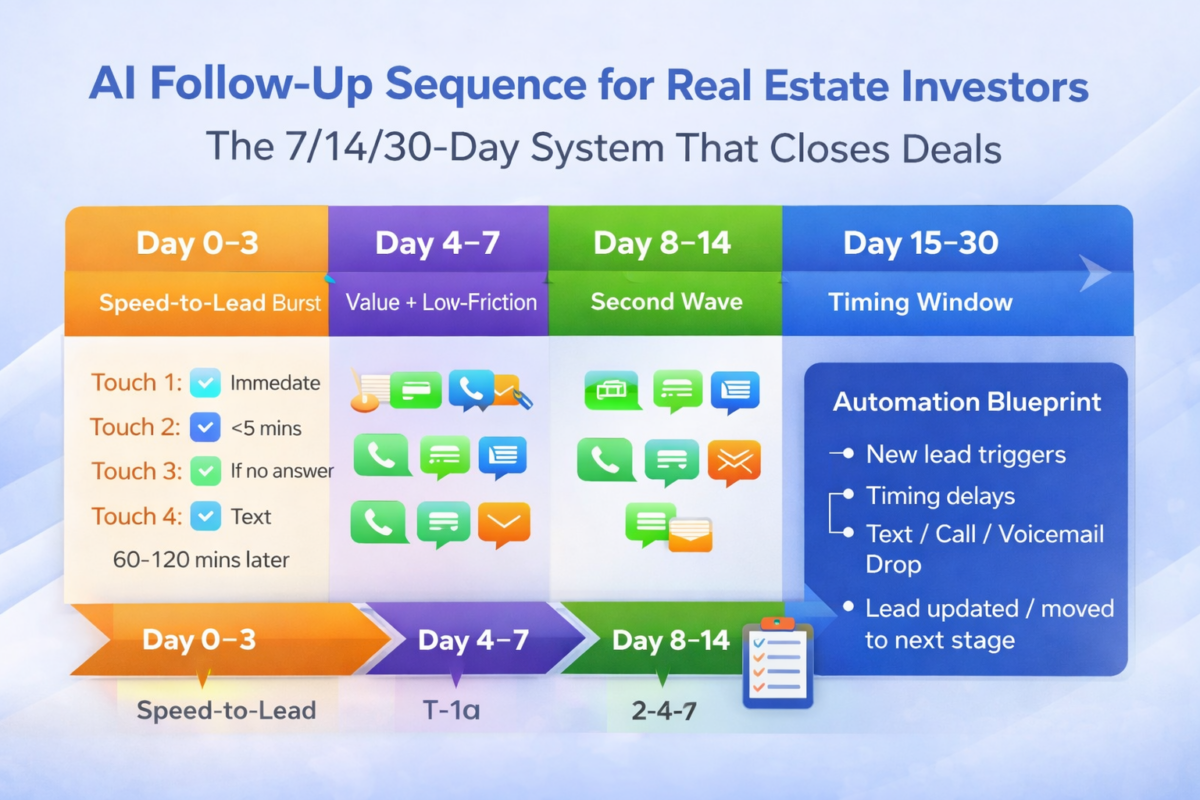
/ai-follow-up-sequence-real-estate-investors/


Growth stack (10–50 units)

  • TurboTenant Pro if you want to stay lean but improve automation/reporting → /go/turbotenant
  • OR evaluate Buildium if your PM workflows are getting heavier → /buildium-pricing/
  • Standard maintenance SOP
  • Monthly portfolio review cadence
  • Tenant communications cadence + documentation discipline

FAQs

Is TurboTenant really free?

TurboTenant’s pricing page lists a Free plan at $0/month and notes core functionality is available without contracts. Paid tiers add additional features and upgrades.

How much does TurboTenant Pro cost?

TurboTenant’s pricing page currently shows Pro at $16.58/month billed annually ($199). Pricing can change, so always confirm on the official pricing page before purchasing.

What is the difference between TurboTenant Essentials and Pro?

TurboTenant shows Essentials as a paid upgrade for stronger leasing/document workflows, while Pro includes Essentials plus added items such as income verification and accounting-related automation/insights.

Is TurboTenant worth paying for if I only have a few units?

Usually yes if a paid tier removes friction in your leasing or admin workflow. But many small landlords should start with Free and upgrade only when a bottleneck shows up.

Should I choose TurboTenant or Buildium?

Choose TurboTenant if you want simpler setup and lower cost. Choose Buildium if you want a more complete PM operations system and stronger long-term structure.


Sources:

Buildium Pricing (2026): Which Plan Should Small Landlords Buy?

If you’re shopping Buildium, the real decision isn’t “which plan is cheapest?” — it’s which plan fits your workflow so you don’t pay for complexity you won’t use (or worse: outgrow it in 6 months).

Buildium is usually the better fit when you want a real property management operating system: maintenance + vendor tracking, stronger reporting, and cleaner structure as you add doors.

If you’re comparing Buildium to a simpler “leasing + rent” tool, start here first:
Buildium vs TurboTenant/buildium-vs-turbotenant/


Quick verdict

Pick Buildium if you want a more complete PM system (maintenance workflows + reporting + operations) and you plan to grow beyond a handful of units.
Skip Buildium if you only want fast leasing + rent collection and you don’t need deeper ops/reporting (TurboTenant is usually a better “simple” pick).

See TurboTenant review/turbotenant-review/


Disclosure: Some links on this page are affiliate links, which means we may earn a commission at no extra cost to you. I only recommend tools I’d use to run a real operation. See our Affiliate Disclosure: /affiliate-disclosure/


Buildium pricing (2026): current plans + starting prices

Buildium typically uses tiered plans (entry → mid → top tier), where higher tiers unlock more automation, reporting depth, and operational controls.

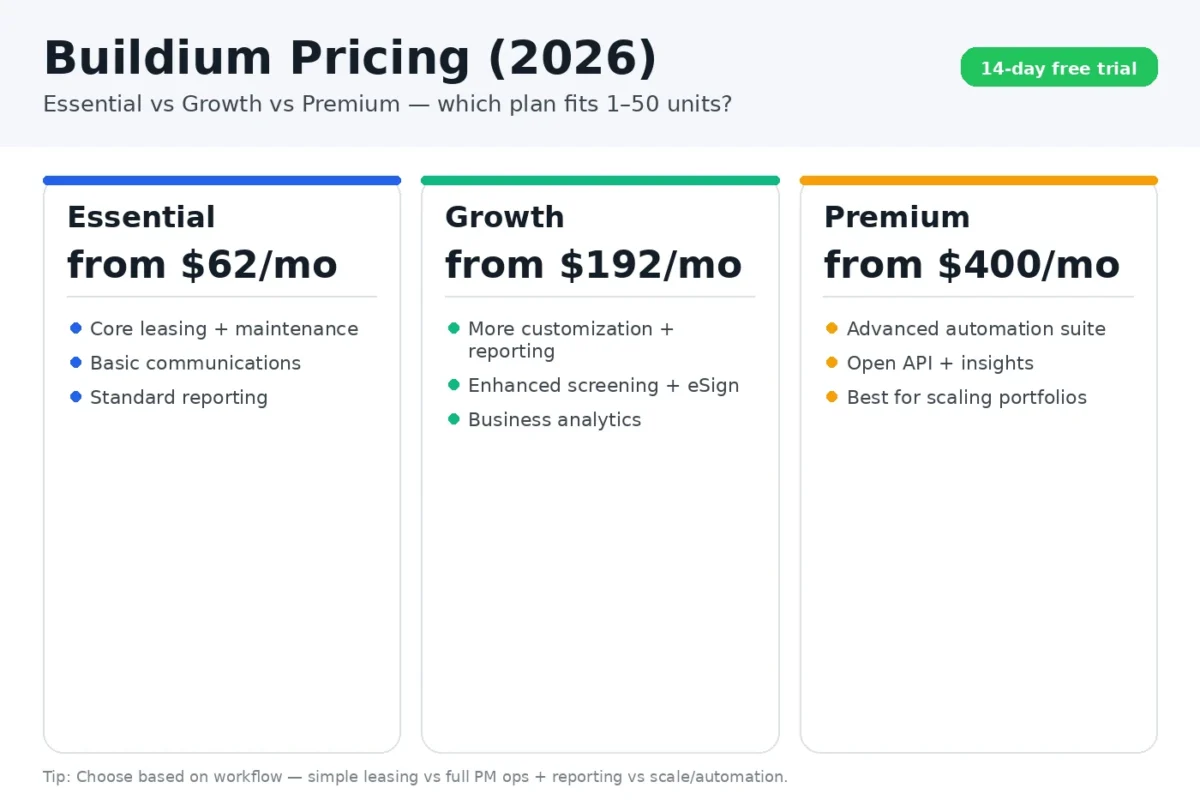
Buildium currently has three tiers plus a 14-day free trial:

  • Essential: starting at $62/month
  • Growth (Most Popular): starting at $192/month
  • Premium: starting at $400/month

Because pricing and plan names can change, use this page for how to choose, then confirm the latest numbers on Buildium’s site:

Buildium offers a 14-day free trial. If you’re unsure which tier you need, start the trial on the plan closest to your workflow and upgrade only when reporting/automation becomes the bottleneck.


Buildium Pricing Plan Comparison Table

PlanStarting priceBest forPlan highlights (from Buildium)Best next step
Essential$62/month1–10 units, basics + clean opsAll basic Accounting, Maintenance, & Leasing features; Basic Communications & Buildium’s AI Assistant; Standard & Bulk ReportingStart 14-day free trial /go/buildium
Growth (Most Popular)$192/month10–50 units, scaling ops + better reportingEverything in Essential, plus more customization & reporting; Enhanced Tenant Screening, unlimited eSignatures; AI-enhanced Communications and Business AnalyticsStart 14-day free trial /go/buildium
Premium$400/monthOperators who want the most advanced features + automationEverything in Growth, plus our most sophisticated features; Free inspections and Incoming EFT transactions; Full AI and Automations suite, plus Open APIStart 14-day free trial /go/buildium

What you’re really buying with each Buildium tier

1) Entry tier: get organized without overbuilding

This tier is usually right if you want to stop managing rentals in a spreadsheet and run the basics cleanly:

  • Central tenant/unit records
  • Rent collection workflow
  • Basic maintenance tracking
  • Clean “single source of truth” operations

Best for: landlords who want structure but don’t need deep reporting yet.


2) Middle tier: operations + reporting that actually scale

This is where Buildium becomes a true ops hub:

  • Better reporting and visibility
  • Cleaner workflows for recurring maintenance/vendor activity
  • Stronger process control (less “where did that request go?”)

Best for: small portfolios that are growing and want to run like a system, not a set of reminders.


3) Top tier: maximum control for a real PM operation

Top tiers are for people who want the most automation/reporting and are running a higher-touch operation.

Best for: operators who care about reporting depth, workflow control, and minimizing operational mistakes as doors increase.


Which Buildium plan should you buy (by door count + workflow)

If you have 1–10 units and want low overhead

Buildium can work, but don’t overbuy.

If your workflow is mostly leasing → rent collection → basic maintenance, you might be happier with a simpler tool:

See my TurboTenant review or Buildium alternatives (if you want simpler).

If you still want Buildium’s structure, start with the lowest tier that gives you a clean operational baseline, then upgrade only when you feel pain.


If you have 10–50 units (or plan to get there)

This is the Buildium sweet spot.

At this level, your bottleneck is usually maintenance + vendor coordination + reporting. You want:

  • fewer dropped tasks
  • clear “who owns what”
  • clean records at tax time
  • a system that doesn’t collapse when you add units

If you’re scaling and hate switching software

Switching PM systems later is annoying.

If you’re confident you’ll grow, it’s often worth buying the tier that supports better reporting + stronger workflow control so you don’t outgrow your setup in 12–18 months.


Buildium vs TurboTenant: the pricing tradeoff that matters

Buildium tends to justify its cost when you want:

  • deeper ops workflows
  • stronger reporting
  • a more “systemized” operation

TurboTenant tends to win if you want:

  • fast setup
  • simple leasing + rent collection
  • minimal complexity

Compare them directly:
Buildium vs TurboTenant → /buildium-vs-turbotenant/


Best-by-scenario recommendations

Best for all-in-one PM operations + reportingStart with Buildium
Best for simple leasing + rent collectionStart with TurboTenant
Best for landlords planning to scaleBuildium (scale-ready)
Best for landlords optimizing for speed + low overheadTurboTenant


Suggested stacks (how I’d run it)

Starter stack (1–10 units)


Growth stack (10–50 units)

  • Buildium for ops + reporting → Start Buildium
  • Maintenance workflow run weekly (not ad hoc)
  • Monthly reporting cadence (30-minute review)

Get the landlord workflow pack:
Landlord Ops Automation Pack (PDF)


FAQs

Does Buildium have a free plan?

Buildium typically operates on paid tiers. Confirm current offers here:
Buildium pricing → /go/buildium

What’s the best Buildium plan for a small landlord?

If you’re small and want low overhead, start with the lowest tier that covers your workflow. If you’re growing and want better reporting + ops control, choose the tier that supports that so you don’t outgrow it quickly.

Is Buildium worth it over TurboTenant?

If you want deeper operations and reporting, yes. If you mainly need leasing + rent collection with minimal setup, TurboTenant is often the better fit.
Buildium vs TurboTenant → /buildium-vs-turbotenant/

Can I upgrade Buildium later?

Yes — and that’s usually the right move: buy what you need now, upgrade when your workflow demands it.


Best property management software for small landlords /best-property-management-software-small-landlords/
Buildium review/buildium-review/
TurboTenant review/turbotenant-review/
Buildium vs TurboTenant/buildium-vs-turbotenant/


Sources

Buildium vs TurboTenant (2026): Which Property Management Tool Fits Small Landlords?

Buildium and TurboTenant both help landlords run rentals — but they’re built for different workflows.

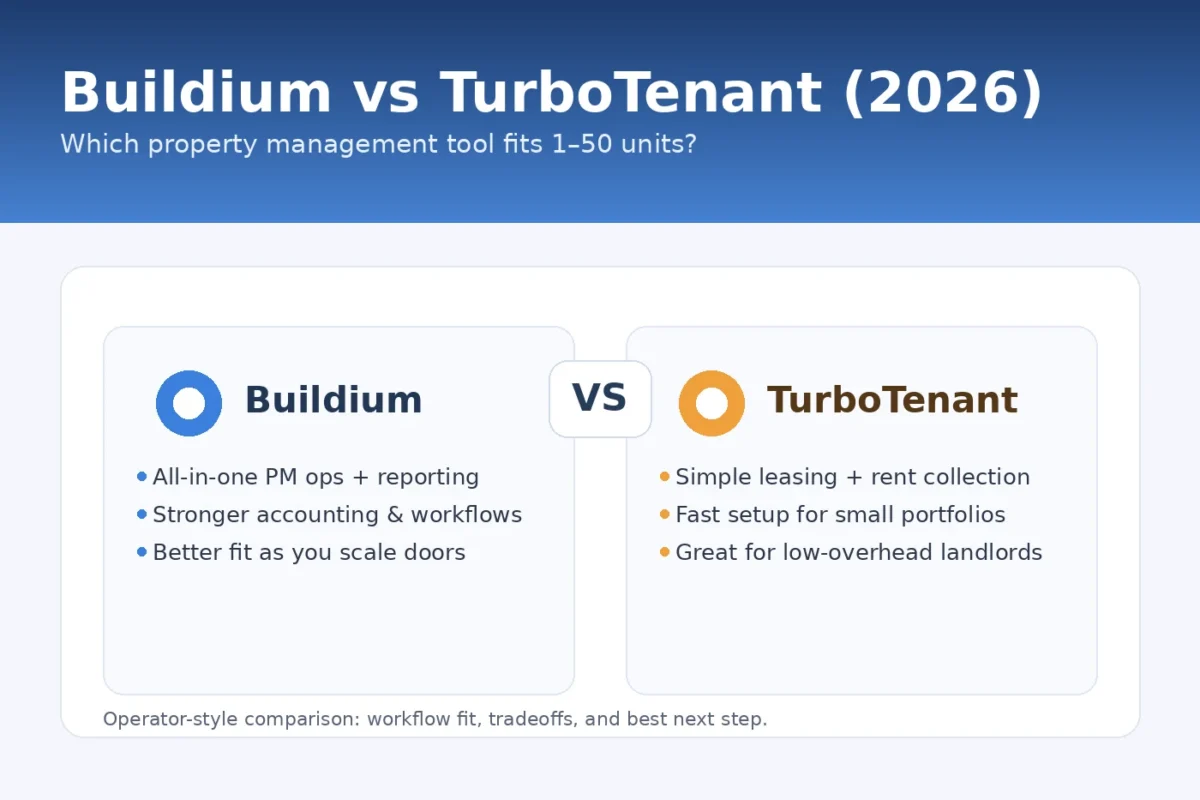
Buildium is usually the better fit when you want a more complete property management system with stronger accounting, reporting, and operations structure as you grow doors.

TurboTenant is usually the better fit when you want fast setup for leasing + rent collection with low overhead, especially for smaller portfolios.

This guide compares Buildium vs TurboTenant like an operator: what each is best for, where they break, and which one you should choose based on your workflow.

Quick verdict

Short answer: TurboTenant wins for simple leasing + rent. Buildium wins when you want deeper PM ops and reporting as you scale.

  • Pick Buildium if you want a full operations system (stronger accounting + reporting + maintenance workflows) and you plan to grow.
  • Pick TurboTenant if you want something simple and landlord-friendly for leasing + rent collection with minimal setup.

Disclosure: Some links on this page are affiliate links, which means we may earn a commission at no extra cost to you. I only recommend tools I’d use to run a rental operation. See our Affiliate Disclosure: /affiliate-disclosure/


Side-by-side comparison: Buildium vs TurboTenant

ToolBest forWhy it winsWatch-outsBest next step
BuildiumAll-in-one PM ops + reportingStronger accounting + maintenance workflows + reporting as you add doorsMore setup; can feel heavy for very small portfoliosTry Buildium
TurboTenantSimple leasing + rent collectionFast setup for applications + screening + leases + rent with low overheadMay feel limited if you want deep accounting/reporting as you scaleTry TurboTenant

See: Buildium pricing and plan recommendations

Also: TurboTenant Pricing


What matters most for small landlords

Most small landlords want the same outcomes:

  • Faster leasing (less vacancy)
  • On-time rent collection
  • Clean maintenance tracking
  • Easy reporting at tax time

The right tool is the one that reduces missed steps and admin time — not the one with the longest feature list.


Buildium vs TurboTenant: the real difference

Buildium is a system for operations and reporting.
TurboTenant is a lightweight tool for leasing and rent.

  • If you’re moving toward 10–50 units and want structure, Buildium usually ages better.
  • If you’re under 10 units and want speed, TurboTenant often wins.

1) Leasing workflow (applications, screening, leases)

TurboTenant is typically the faster win here.

Best for:

  • Quick applications and screening
  • Simple lease templates and signing flow
  • Lower-friction setup

Buildium can handle leasing too, but it’s often chosen for what happens after move-in: operations, reporting, and maintenance structure.

Operator take:
If your top pain is filling vacancies and collecting rent with minimal setup, TurboTenant is hard to beat.
If you want everything to connect into a more “professional PM system,” Buildium starts to make more sense.


2) Rent collection and tenant payments

Both handle rent collection, so the question becomes:

  • How quickly can you set it up?
  • How clean are the records when you need reports?
  • Do you want to manage this like a simple landlord, or like a scaled operation?

TurboTenant is usually simpler early.
Buildium tends to be stronger when you want more formal accounting structure and reporting.


3) Maintenance tracking and vendor workflows

This is where landlords feel chaos.

If maintenance is frequent (older homes, multiple units, vendors), you’ll want:

  • Work order tracking
  • Clear status updates
  • History by unit and tenant

Buildium is typically stronger when maintenance workflows matter.
TurboTenant can work fine if maintenance is lighter and you’re okay keeping processes simple.

Operator take:
If you’re dealing with recurring maintenance and vendors, Buildium’s structure is usually worth it.
If maintenance is occasional and you mostly want leasing + rent, TurboTenant is usually enough.


4) Accounting and reporting (the tax time test)

This is where most landlords regret picking the wrong tool.

If you want:

  • Cleaner financial reporting
  • Fewer spreadsheet headaches
  • More visibility across units
  • A system you won’t outgrow

Buildium is usually the safer bet.

TurboTenant is often better for landlords who don’t want heavy setup and are fine keeping accounting/reporting simpler (especially at low unit counts).


Best-by-scenario recommendations

Best if you’re staying small and want low overhead: TurboTenant

Best for all-in-one PM operations + reporting: Buildium

Best for simple leasing + rent collection with low friction: TurboTenant

Best if you’re scaling from 10 units toward 50 units: Buildium

Need More Buildium alternatives?

More TurboTenant Alternatives?


Suggested stacks (what I’d run)

Starter stack (1–10 units)

  • TurboTenant for leasing + rent collection → /go/turbotenant
  • Simple maintenance process (request → assign → update → close)
  • Monthly “admin day” to keep records clean

Growth stack (10–50 units)

  • Buildium for scale-ready ops + reporting → /go/buildium
  • Maintenance SOP (intake → assign → vendor update → closeout)
  • Monthly reporting cadence (owner-style review even if you own it)

Get the Landlord Ops Automation Pack (PDF)

12 automations + templates to run rentals with less chaos.
We won’t send spam. Unsubscribe any time.


FAQs

Which is better for small landlords: Buildium or TurboTenant?

It depends on workflow. TurboTenant is usually better for fast leasing + rent collection with low overhead. Buildium is usually better if you want a more complete operations system with stronger reporting as you grow.

Do I need Buildium if I only have a few units?

Not always. If you’re 1–10 units and your main goal is simple leasing + rent collection, TurboTenant is often enough. If you want structure and reporting because you plan to grow, Buildium can be worth starting earlier.

What’s the biggest mistake landlords make when picking PM software?

Choosing based on features instead of workflow. The best tool is the one you’ll actually use weekly: leasing, rent, maintenance, and records.

Can I switch from TurboTenant to Buildium later?

Yes, but switching is annoying. If you expect meaningful growth in the next 12–18 months, Buildium is often the more future-proof choice.


Sources

Buildium Review (2026): Best Property Management Software for Landlords Scaling Past 10 Units?

If you manage rentals long-term, the real question is not which platform has the most features.

It is which platform reduces mistakes and admin time as you add doors: cleaner books, faster maintenance coordination, consistent rent collection, and reports you can trust at tax time. This Buildium review explores the platform and alternatives through that lens.

Buildium is positioned as a full property management operations system. It is usually strongest when you want accounting and reporting plus maintenance workflows that do not fall apart as volume increases.

If you are still deciding between the top two landlord-friendly options, start here first:
/best-property-management-software-small-landlords/

Quick verdict

Pick Buildium if you want a more complete system for property management operations, especially if you are building toward 10–50 units and care about accounting, reporting, and maintenance tracking.

Skip Buildium if you only need simple leasing and rent collection for a small portfolio and you want the fastest setup with the least overhead.

Buildium pricing (2026): plans + what to pay for

Disclosure: Some links on this page are affiliate links, which means we may earn a commission at no extra cost to you. I only recommend tools I’d use to run an investor operation. See our Affiliate Disclosure: /affiliate-disclosure/


What Buildium is best for

Buildium is usually a fit for landlords who want structure and repeatability.

Best for:

  • Landlords managing 10–50 units (or growing into that range)
  • Anyone who wants cleaner bookkeeping and reporting without constant spreadsheets
  • Owners who handle maintenance frequently and want a workflow that tracks requests, status, and history
  • Long-term hold investors who want a platform they are less likely to outgrow

If you want a simpler setup for leasing and rent collection, TurboTenant may be the better fit:
/go/turbotenant

Comparing options? See Buildium vs TurboTenant (workflow breakdown)


Buildium pros and cons

Pros

  • Stronger accounting and reporting foundation for small landlords who are scaling
  • Better suited to ongoing maintenance workflows and vendor coordination
  • More structured operations feel as you add units and complexity
  • Helps reduce spreadsheet dependence over time

Cons

  • More setup than simple landlord tools
  • Can feel heavy if you are only managing a few units and want minimal processes
  • The payoff is bigger once your portfolio is large enough to justify structure

How Buildium fits a real landlord workflow

This is the workflow Buildium is designed to support:

Leasing and onboarding

A clean leasing process matters because every weak step becomes a recurring problem later. Your goal is fewer manual steps per tenant cycle.

Rent collection and tenant payments

For small landlords, the biggest win is reducing late payments, missing records, and manual follow-ups. Your system should create consistent records without extra work.

Maintenance tracking and vendor coordination

This is where small landlords lose time. What you want:

  • A consistent intake method
  • Clear assignment and status
  • History by unit and tenant
  • Fewer dropped balls

Accounting and reporting

This is the tax time test. If you want:

  • cleaner reporting
  • fewer spreadsheet reconciliations
  • a monthly review cadence
    Buildium tends to be the stronger long-term foundation.

Interested in alternatives? See our Buildium Alternatives.


Buildium vs TurboTenant

Use this decision rule:

Choose Buildium if

  • You want a full operations system
  • You care about accounting and reporting
  • You are scaling past 10 units or plan to
  • Maintenance is frequent and you need a workflow, not notes

Choose TurboTenant if

  • You are smaller and want the fastest setup
  • Your priority is leasing + rent collection
  • You want low overhead and fewer settings
  • You do not need deeper accounting and reporting yet

If you want a simpler setup for leasing + rent collection, read my TurboTenant review.


Pricing guidance for small landlords

Most landlords should choose based on how many doors they are managing and how much structure they actually want.

A simple way to decide:

  • If you want the most complete ops system and plan to grow, Buildium usually pays off over time.
  • If you want speed and simplicity today, choose a simpler tool and upgrade later if needed.

Best-by-scenario recommendations

Best for most landlords scaling to 10–50 units

Best for small portfolios prioritizing simplicity

Best if you hate spreadsheets and want cleaner reporting

Best if you only need leasing and rent collection


Suggested tool stacks

Starter stack (1–10 units)

  • TurboTenant for leasing + rent collection: /go/turbotenant
  • Simple maintenance process you can run consistently
  • A monthly bookkeeping checklist so nothing piles up

If you are still acquiring deals and want your lead system tight, start here:
/best-real-estate-lead-generation-software-ai/

Growth stack (10–50 units)

  • Buildium for structured PM operations and reporting: /go/buildium
  • A maintenance SOP: request → assign → update → close
  • Monthly portfolio review cadence: rent roll, delinquencies, expenses, maintenance backlog


FAQs

Is Buildium good for small landlords?

Yes, especially if you want structure and reporting and you plan to grow. If you only have a few units and want the simplest tool, a lighter platform may be a better fit.

What is Buildium best for?

Buildium is best for landlords who want a more complete PM operations system that supports accounting, reporting, and maintenance workflows.

Is Buildium better than TurboTenant?

Buildium is usually better when you need deeper operations, reporting, and scaling structure. TurboTenant is often better when you want fast setup for leasing and rent collection.

Will I outgrow TurboTenant?

Some landlords do once they scale and want deeper reporting and accounting structure. If you expect to grow, start with the platform you will not resent switching away from later.


Sources:

Best Property Management Software for Small Landlords (2026): Picks for 1–50 Units

If you self-manage rentals (or run a small portfolio), the real goal isn’t “more features.”
It’s fewer mistakes and less time per unit: faster leasing, on-time rent collection, clean maintenance tracking, and simple reporting at tax time.

This guide ranks the best property management software for small landlords (1–50 units) by workflow:

  • “All-in-one PM operations” (accounting + owner reports + maintenance)
  • “Simple leasing + rent collection” (fast setup, low friction)
  • “Scale-ready” (when you’re adding units and need structure)

Quick verdict

  • Pick Buildium if you want a more complete system (accounting + reporting + maintenance workflows) and plan to grow.
  • Pick TurboTenant if you want a simpler, faster setup for leasing + rent collection (especially if you’re smaller and want low overhead).

Disclosure: Some links on this page are affiliate links, which means we may earn a commission at no extra cost to you. I only recommend tools I’d use to run an investor operation. See our Affiliate Disclosure: /affiliate-disclosure/

Want the deeper breakdown? See our Buildium review for who it fits best, pros/cons, and when it’s worth paying for a full PM ops system: /buildium-review/


Side-by-side comparison (Buildium vs TurboTenant)

Buildium vs TurboTenant full breakdown (choose by workflow): /buildium-vs-turbotenant/

ToolBest forWhy it winsWatch-outsBest next step
BuildiumAll-in-one PM ops + reportingStronger structure for maintenance, reporting, and scale-ready workflowsMore setup; can feel heavier for very small portfoliosTry Buildium
TurboTenantSimple leasing + rent collectionFast setup for applications, screening, leases, and rent—low friction for small landlordsMay feel limited if you want deeper accounting/reporting as you scaleTry TurboTenant

What “best” should mean for small landlords (choose by workflow)

1) If you want the most complete PM operations system

Best pick: Buildium
Buildium is typically the better fit when you want real PM operations: maintenance tracking, accounting structure, reporting, and cleaner workflows as you add doors.

If you want the full breakdown (features, workflows, and best-fit landlord scenarios), read the full Buildium review here: /buildium-review/

Best for:

  • 10–50 units (and growing)
  • You want cleaner books + reporting
  • You manage vendors/maintenance frequently
  • You want a “system,” not just rent collection

See Buildium pricing and which plan to buy. Also see Buildium Alternatives for more options.


2) If you want fast setup for leasing + rent collection

Best pick: TurboTenant
TurboTenant is usually the best fit when you want something simple and landlord-friendly, especially if you’re smaller and optimizing for speed and low overhead.

Read the full TurboTenant review (features, pros/cons, and who it’s best for).

Best for:

  • 1–20 units
  • You want fast leasing workflows
  • You don’t want heavy setup
  • You mainly need: applications → screening → lease → rent

Also read our TurboTenant Pricing guide and TurboTenant Alternatives.


3) If you’re scaling and care about reporting (and future-proofing)

If you expect your portfolio to grow, the question is: do you want a tool you’ll outgrow in 12–18 months?
If “no,” lean toward the platform with stronger structure and reporting.

Operator take:

  • If you’re a long-term hold investor building a portfolio: Buildium tends to age better.
  • If you’re optimizing for simplicity today: TurboTenant is often the fastest win.

Feature breakdown (what matters most)

Rent collection + tenant payments

Both handle the fundamentals, but your decision should be based on:

  • friction to set up
  • tenant experience
  • how clean the records are for reporting

Maintenance tracking + vendors

If maintenance is frequent (older homes, multiple units, vendors), you’ll want:

  • work order tracking
  • clear status updates
  • history by unit/tenant

Accounting and reporting (the “tax time test”)

This is where landlords feel pain. If you want:

  • clean reports
  • fewer spreadsheet headaches
  • portfolio visibility
    …you’ll prefer the stronger reporting tool.

Best-by-scenario recommendations

Best for “I want the most complete PM system”

Best for “I’m small and want simple”

You can also see our TurboTenant review here

Best for “I’m growing and want to stop winging it”

Best for “I only need leasing + rent collection”


Suggested stacks (how I’d run it)

Starter stack (1–10 units)

  • TurboTenant for leasing + rent collection → /go/turbotenant
  • Simple maintenance tracking process (even if lightweight)
  • A consistent follow-up system for leads (if you still buy deals)

If you’re still sourcing deals, start here:
Best AI lead gen software → /best-real-estate-lead-generation-software-ai/

Growth stack (10–50 units)

  • Buildium for systemized PM ops + reporting → /go/buildium
  • A simple SOP for maintenance (request → assign → update → close)
  • Portfolio reporting cadence (monthly review)


FAQs

What is the best property management software for small landlords?

For most landlords under 50 units, the best choice depends on whether you want a full operations system (Buildium) or a simpler leasing/rent tool (TurboTenant).

Do I need property management software if I only have a few units?

If you’re at 1–5 units, you can still benefit from software that reduces leasing and rent collection friction. The ROI is usually time + fewer missed steps.

What’s the biggest mistake small landlords make with PM software?

Choosing based on features instead of workflow. The right tool is the one you’ll actually use weekly: leasing, rent, maintenance, and records.

Can I switch later?

Yes — but switching is annoying. If you plan to grow, pick the tool that won’t feel cramped in 12–18 months.


Best AI tools for real estate investors
Best AI lead generation software
Best AI CRM for real estate investors
AI follow-up sequence system

TurboTenant Pricing

TurboTenant Review

TurboTenant Alternatives

Buildium Pricing

Buildium Review

Buildium Alternatives


Sources: